Efficient Implementation of Polynomial Operations Using Arrays in C++
This document presents an in-depth exploration of handling polynomial operations in C++ using arrays. It discusses the concept of arrays as a fundamental data structure, explains the implementation of polynomial representations, and demonstrates sparse matrix techniques. Readers will learn about the polynomial abstract data type (ADT), including addition and multiplication of polynomials, and the efficient storage of coefficients and exponents. The document also covers dynamic and static memory allocation techniques, focusing on optimizing memory usage in various polynomial representations.

Efficient Implementation of Polynomial Operations Using Arrays in C++
E N D
Presentation Transcript
Objectives • Arrays in C++ • Implementation • PolyNomial • Sparse Matrix • Representation • String
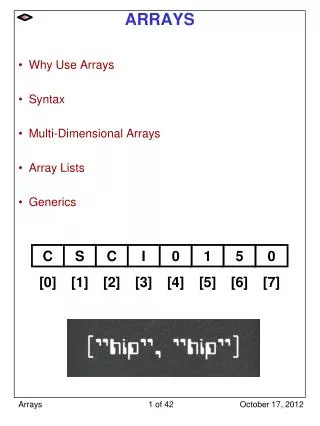
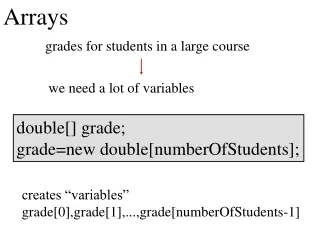
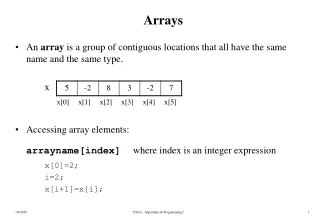
Arrays in C++ • Array: a set of index and value • Data structure • For each index, there is a value associated with that index. • Representation • Implemented by using consecutive memory. • Example: int list[5]: list[0], …, list[4] each contains an integer
Polynomial Abstract Data Type • Polynomial • requires ordered lists • the largest exponent is called degree • Example: • A(X)=3X2+2X+4, B(X)=X4+10X3+3X2+1 • sum and product of polynomials A(x) = aixi and B(x) = bixi
Polynomial Abstract Data Type(Cont’) Class Polynomial { // objects : p(x) = a0xe0 + … + anxe0 ; a set of ordered pairs of <ei, ai>, // where ai Coefficient and ei Exponent // We assume that Exponent consists of integers ≥ 0 public: Polynomial(); // return the polynomial p(x)=0 int operator!(); // If *this is the zero polynomial, return 1; else return 0; Coefficient Coef(Exponent e); // return the coefficient of e in *this Exponent LeadExp(); // return the largest exponent in *this
Polynomial Abstract Data Type(Cont’) Polynomial Add(Polynomial poly); // return the sum of the polynomials *this and poly Polynomial Mult(Polynomial poly); // return the product of the polynomials *this and poly float Eval(float f); // Evaluate the polynomial *this at f and return the result. }; // end of polynomial
Polynomial Abstract Data Type(Cont’) Polynomial Representation • Principle • unique exponents are arranged in decreasing order
Polynomial Abstract Data Type(Cont’) • Representation 1 (Array: static memory allocation) • define the private data members of Polynomial private : int degree ; // degree≤MaxDegree float coef[MaxDegree+1] ; • leads to a very simple algorithms for many of the operations on polynomials • wastes computer memory • for example, if a.degree << MaxDegree
Polynomial Abstract Data Type(Cont’) • Representation 2 (Array: dynamic memory allocation) • define coef with size a.degree+1 • declare private data members private : int degree ; float *coef ; • add a constructor to Polynomial Polynomial::Polynomial(int d) { degree=d ; coef=newfloat[degree+1] ; } • wastes space for sparse polynomials • for example, x1000+1
Polynomial Abstract Data Type(Cont’) • Representation 3 • previously, exponents are represented by array indices • now, (non-zero) exponents are stored • all Polynomials will be represented in a single array called termArray • termArray is shared by all Polynomial objects • it is declared as static • each element in termArray is of type term class term { friend Polynomial ; private : float coef ; // coefficient int exp ; // exponent };
Polynomial Abstract Data Type(Cont’) • declare private data members of Polynomial • class Polynomial { private : static term termArray[MaxTerms]; static int free; int Start, Finish; public: Polynomial ADD(Polynomial poly); ... } • required definitions of the static class members outside the class definition term Polynomial::termArray[MaxTerms]; int Polynomial::free=0; // next free location in termArray • A(x)=2x1000+1, B(x)=x4+10x3+3x2+1
Polynomial Abstract Data Type(Cont’) A.Start A.Finish B.Start B.Finish Free coef 2 1 1 10 3 1 exp 1000 0 4 3 2 0 0 1 2 3 4 5 6 Figure 2.1 : Array representation of two polynomials
Polynomial Abstract Data Type(Cont’) • A(x) has n nonzero terms • A.Finish=A.Start+n-1 • comparison with Representation 2 • Representation 3 is superior when many zero terms are present as in A(x) • when all terms are nonzero, as in B(x), Representation 3 uses about twice as much space as Representation 2
Polynomial Abstract Data Type(Cont’) 2.3.2 Polynomial Addition • Representation 3 is used • C(x)=A(x)+B(x)
Polynomial Abstract Data Type(Cont’) Polynomial Polynomial::Add(Polynomial B) { Polynomial C; int a = Start; int b = B.Start; C.Start = free; float c; while ((a<=Finish) && (b<=B.Finish) switch (compare(termArray[a].exp, termArray[b].exp)){ case '=': c = termArray[a].coef + termArray[b].coef; if (c) NewTerm(c, termArray[a].exp); a++; b++; break; case '<': NewTerm(termArray[b].coef, termArray[b].exp); b++; break; case '>': NewTerm(termArray[a].coef, termArray[a].exp); a++; }// end of switch and while for (; a<=Finish; a++) // add in remaining terms of A(x) NewTerm(termArray[a].coef, termArray[a].exp); for (; b<=B.Finish; b++) // add in remaining terms of B(x) Newterm(termArray[b].coef, termArray[b].exp); C.Finish = free - 1; return C; } // end of Add Analysis: O(n+m) where n, m is the number of non-zeros in A, B.
Polynomial Abstract Data Type(Cont’) void Polynomial::NewTerm(float c, int e) // Add a new term to C(x). { if (free>=MaxTerms) { cerr << "Too many terms in polynomials" << endl; exit(1); } termArray[free].coef = c; termArray[free].exp = e; free++; }// end of NewTerm Program 2.9 : Adding a new term
Polynomial Abstract Data Type(Cont’) • Analysis of Add • m and n are number of nonzero-terms in A and B, respectively • the asymptotic computing time is O(n+m) • Disadvantages of representing polynomials by arrays • space must be reused for unused polynomials • linked lists in chapter 4 provide a solution
Sparse Matrix • A general matrix consists of m rows and n columns of numbers • An m×n matrix • It is natural to store a matrix in a two-dimensional array, say A[m][n] • A matrix is called sparse if it consists of many zero entries • Implementing a spare matrix by a two-dimensional array waste a lot of memory • Space complexity is O(m×n)
Sparse Matrices(Cont’) Class SparseMatrix { // objects : A set of triples, <row, column, value>, where row // and column are integers and form a unique combination; value // is also an integer. public: SparseMatrix(int MaxRow, int MaxCol); // the constructor function creates a SparseMatrix // that can hold up to MaxItems=MaxRow x MaxCol and whose // maximum row size is MaxRow and whose maximum // column size is MaxCol SparseMatrix Transpose(); // returns the SparseMatrix obtained by interchanging the // row and column value of every triple in *this
Sparse Matrices(Cont’) SparseMatrix Add(SparseMatrix b); // if the dimensions of a(*this) and b are the same, then // the matrix produced by adding corresponding items, // namely those with identical row and column values is // returned else error. SparseMatrix Multiply(SparseMatrix b); // if number of columns in a (*this) equals number of // rows in b then the matrix d produced by multiplying a // by b according to the formula // d[i][j]= (a[i][k]·b[k][j]), // where d[i][j] is the (i, j)th element, is returned. // k ranges from 0 to the number of columns in a-1 // else error. }; ADT 2.3 : Abstract data type SparseMatrix
Sparse Matrices(Cont’) 2.4.2 Sparse Matrix Representation • Representation • use the triple <row, col, value> to represent an element • store the triples by rows • for each row, the column indices are in ascending order • store the number of rows, columns, and nonzero elements
Sparse Matrices(Cont’) • C++ code class SparseMatrix; // forward declaration class MatrixTerm { friend class SparseMatrix private: int row, col, value; }; class SparseMatrix { private: int Rows, Cols, Terms; MatrixTerm smArray[MaxTerms]; public: SparseMatrix Transpose(); ... }
Sparse Matrices(Cont’) • Representation of the matrix of Figure 2.2(b) using smArray row col value row col value smArray[0] 0 0 15 smArray[0] 0 0 15 [1] 0 3 22 [1] 0 4 91 [2] 0 5 -15 [2] 1 1 11 [3] 1 1 11 [3] 2 1 3 [4] 1 2 3 [4] 2 5 28 [5] 2 3 -6 [5] 3 0 22 [6] 4 0 91 [6] 3 2 -6 [7] 5 2 28 [7] 5 0 -15 • (b) Figure 2.3 : Sparse matrix and its transpose stored as triples
Sparse Matrices(Cont’) Transposing a Matrix • n element at [i][j] will be at [j][i] for (each row i) take element (i, j, value) and store it in (j, i, value) of the transpose; • difficulty: where to put <j, i, value> • (0, 0, 15) (0, 0, 15) • (0, 3, 22) (3, 0, 22) • (0, 5, -15) (5, 0, -15) • (1, 1, 11) (1, 1, 11) • need to insert many new triples, elements are moved down very often • Find the elements in the order for (all elements in column j) place element (i, j, value) in position (j, i, value);
Sparse Matrices(Cont’) SparseMatrix SparseMatrix::Transpose() // return the transpose of a (*this) { SparseMatrix b; b.Rows = Cols; // rows in b = columns in a b.Cols = Rows; // columns in b = rows in a b.Terms = Terms; // terms in b = terms in a if (Terms > 0) // nonzero matrix { int CurrentB = 0; for (int c = 0; c < Cols; c++)// transpose by columns for (int i = 0; i < Terms; i++) // find elements in column c if (smArray[i].col ==c) { b.smArray[CurrentB].row = c; b.smArray[CurrentB].col = smArray[i].row; b.smArray[CurrentB].value = smArray[i].value; CurrentB++; } } // end of if (Terms > 0) return b; } // end of transpose Time Complexity: O(terms*columns)
Sparse Matrices(Cont’) • Analysis of transpose • the number of iterations of the for loop at line 12 is terms • the number of iterations of the for loop at line 11 is columns • total time is O(terms*columns) • total space is O(space for a and b) • Using two-dimensional arrays for(int j=0; j<columns; j++) for(int i=0; i<rows; i++) B[j][i]=A[i][j]; • total time is O(rows*columns)
[0] [1] [2] [3] [4] [5] RowSize = 3 2 1 0 1 1 RowStart = 0 3 5 6 6 7 Sparse Matrices(Cont’) • FastTranspose algorithm • Determine the number of elements in each column of the original matrix. • Determine the starting positions of each row in the transpose matrix.
Sparse Matrices(Cont’) SparseMatrix SparseMatrix::FastTranspose() // The transpose of a (*this) is placed in b and is found in // O(terms+columns) time. { int *RowSize = new int[Cols]; int *RowStart = new int[Cols]; SparseMatrix b; b.Rows = Cols; b.Cols = Rows; b.Terms = Terms; if (Terms>0) // nonzero matrix { // compute RowSize[i] = number of terms in row i of b for (int i = 0; i<Cols; i++) RowSize[i] = 0; // initialize for (i = 0; i<Terms; i++) RowSize[smArray[i].col]++; // RowStart[i] = starting position of row i in b RowStart[0] = 0; O(Columns) O(Terms)
Sparse Matrices(Cont’) for (i =1; i<Cols; i++) RowStart[i] = RowStart[i-1] + RowSize[i-1]; for (i = 0; i<Terms; i++) // move from a to b { int j = RowStart[smArray[i].col]; b.smArray[j].row = smArray[i].col; b.smArray[j].col = smArray[i].row; b.smArray[j].value = smArray[i].value; RowStart[smArray[i].col]++; } // end of for } // end of if delete [] RowSize; delete [] RowStart; return b; } // end of FastTranspose O(Columns) O(Terms) Total: O(Columns+Terms) Program 2.11 : Transposing a matrix faster
Sparse Matrices(Cont’) • By using sparse matrix • Pick a row of A and find all elements in column j of B for j = 0, 1, .., B.col-1 , where B.col is the number of columns in B • By using the transpose of B • We can avoid the scanning all of B to find all the elements in column j • All column elements are in consecutive order in B Matrix Multiplication A : m x n B : n x p
Sparse Matrices(Cont’) int SparseMatrix::StoreSum(int sum,int& LastInResult,int r,int c){ if (sum != 0) { if (LastInResult < MaxTerms -1) { LastInResult++; smArray[LastInResult].row = r; smArray[LastInResult].col = c; smArray[LastInResult].value = sum; return 0; } else{ cerr << "Number of terms in product exceeds MaxTerms" << endl; return 1; } } else return 0; }
SparseMatrix SparseMatrix::Multiply(SparseMatrix b) if (Cols != b.Rows) { cout << "Incompatible matrices" << endl; return EmptyMatrix(); } if ((Terms == MaxTerms) || (b.Terms == MaxTerms)) { cout << "One additional space in a or b needed" << endl; return EmptyMatrix(); } SparseMatrix bXpose = b.FastTranspose(); SparseMatrix result; int currRowIndex = 0, LastInResult = -1, currRowBegin = 0, currRowA = smArray[0].row; smArray[Terms].row = Rows; bXpose.smArray[b.Terms].row = b.Cols; bXpose.smArray[b.Terms].col = -1; int sum = 0;
while (currRowIndex<Terms) { int currColB = bXpose.smArray[0].row; int currColIndex = 0; while (currColIndex <= b.Terms){ if (smArray[currRowIndex].row != currRowA){ if (result.StoreSum(sum, LastInResult, currRowA, currColB)) return EmptyMatrix(); else sum = 0; // sum currRowIndex = currRowBegin; while (bXpose.smArray[currColIndex].row==currColB) currColIndex++; currColB = bXpose.smArray[currColIndex].row; }else if (bXpose.smArray[currColIndex].row != currColB){ if (result.StoreSum(sum, LastInResult, currRowA, currColB)) return EmptyMatrix(); else sum = 0; currRowIndex = currRowBegin; currColB = bXpose.smArray[currColIndex].row; }
else switch (compare(smArray[currRowIndex].col, bXpose.smArray[currColIndex].col)){ case '<' : currRowIndex++; break; case '=' : sum += smArray[currRowIndex].value *bXpose.smArray[currColIndex].value; currRowIndex++; currColIndex++; break; case '>' : currColIndex++; } // switch }// while(currCollindex <=b.Terms) while (smArray[currRowIndex].row == currRowA) currRowIndex ++ ; currRowBegin = currRowIndex; currRowA = smArray[ccurrRowIndex].row; }//while(currRowIndex<Terns) result.Rows = Rows; result.Cols = bCols; return result; }//Multiply