Enhancing Data Integrity in Microsoft Office Suite: Technical Objectives and Future Plans
90 likes | 227 Vues
This document outlines the technical objectives and approaches for improving data integrity in Microsoft Office applications, specifically PowerPoint and Word, as discussed in the PI meeting on August 19, 2002. Key goals include wrapping data with integrity marks, ensuring its integrity throughout processes, and repairing any corruption. The report also highlights successful demonstrations, the development of a GUI for monitoring changes, and future plans for complete coverage of operations in PowerPoint and integration with SafeEmail for secure attachment handling.


Enhancing Data Integrity in Microsoft Office Suite: Technical Objectives and Future Plans
E N D
Presentation Transcript
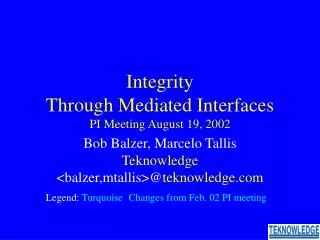
Integrity Through Mediated InterfacesPI Meeting August 19, 2002 Bob Balzer, Marcelo Tallis Teknowledge <balzer,mtallis>@teknowledge.com Legend: TurquoiseChanges from Feb. 02 PI meeting
Technical Objectives • Wrap Data with Integrity Marks • Insure its Integrity • Record its processing history • Reconstruct it from this history if it is corrupted • by program bugs • by malicious attacks • Demo these capabilities on major COTS product • Microsoft Office Suite (PowerPoint & Word only) • Also demo on a mission critical military system • PowerPoint and Word
M Mediation Cocoon Environment = Operating System External Programs M M M Change Monitor • Wrap Program • Detect access of integrity marked data & decode it • Monitor User Interface to detect change actions • Translate GUI actions into application specific modifications Technical Approach Program • Detect update of integrity marked data • Re-encode & re-integrity mark the updated data • Repair any subsequent Corruption from History • Build on existing research infrastructure
MS Word Data IntegrityTechnical Approach To Attribution • Time Lever shows document development • User selects range of interest • Move Forwards through Operations Log • Move Backwards through Undo Stack Operations Log
Demo Completed (except for integration of generic mechanisms from PowerPoint Data Integrity) GUI Monitortied to change history Data IntegrityCurrent Status • MS Word Data Integrity • Completed • MS PowerPoint Data Integrity • Generic Data Integrity Architecture • Shape creation/deletion • Shape move/resize/recolor/rotate • Connector attachment/detachment • Group/ungroup • Problems (requiring unique development) • Single Process Debug/Demo Architecture • Typed Text (different low-level implementation) • Dangling Connectors (incomplete COM model)
Data IntegrityFuture Plans • Complete Coverage of PowerPoint Operations • Integrate generic mechanisms from PowerPoint Integrity Manager back into Word • Deploy Word and PowerPoint Integrity Managers
SafeEmail Attachments Spawn Email Client SafeEmail Attachments M M M Attachment Handler Safety Rulesi Wrapper M M M M M M Safety Rulesj Wrapper SafeEmail Attachments Spawn • Each opened attachment spawns new process M M M Attachment Handler • Wrapper encapsulateseach spawned process Safety Rulesk Wrapper Attachment Safe EmailAttachments Attachment • Deployment • Bundled with ADF as OPX Hardened Client • MARFORPAC Usability Test 2/02 • FBE-Juliet Red Team Experiment 8/02
Response • New rule system & GUI • Autonomic responses Demo Deployment/Red-Team Results • MARFORPAC Usability Test (2/02) • No field usage problems (no attacks) • Assessed as unmaintainable • Not configurable by Marine Sysadmins • Alerts not understandable by Marine personnel • Hardened Client II Red-Team Experiment (5/02) • Test new ByPass Protection mechanism • All attacks on or to disable ByPass Protector failed • Attack on unprotected wrapper data succeeded • This vulnerability disclosed to Red-Team prior to experiment • FBE-Juliet Red-Team Experiment (8/02) • Test SafeEmail against malicious attachments • All attacks on SafeEmail failed • SafeEmail field portable to OfficeXP
SafeEmail Plans • Integration with Enterprise Wrappers • Offboard Policy Manager • Offboard Alert Dissemination • Dynamic Policies • Pilot Deployments • Within Military and Federal Government • Development of Contained Execution Compartments • No persistent effects from opening email attachments • Only new document versions from editors • Integration with autonomic attack detector (SBIR) • Hardening & Independent Assessment (OPX) • Broader Coverage (all user processes) (OPX)