Download
1 / 9
90 likes | 204 Vues
The Odin Diet application offers a secure "Forgot Password" facility to assist clients in retrieving their passwords. Users can initiate this process by selecting the "Secret Question" option in the Links Menu. To reset their password, clients must enter their User ID, registered E-mail, and the answers to their Secret Questions. Upon submission, successful updates will be confirmed via a message, and new passwords will be emailed. This streamlined process ensures users can quickly regain access to their accounts after unsuccessful login attempts, enhancing user experience and security.

E N D
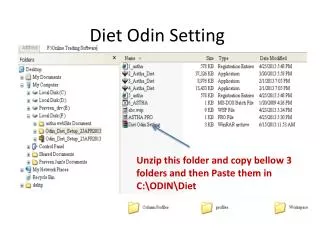
Presentation on Forgot Password Facility in Odin Diet application
Forgot Password Facility:- Odin Diet Application provides Forget Password facility wherein our clients will receive password on E-mail id registered with us. 2 2 2 2
For enable Forgot password facility, you have to click on “Secret Question” provided in the “Links Menu”. 3 3 3
Secret Question & answer:- In Password Setting window, provide Login Password, Secret Question & Password. To update the settings click on “Submit” Button. 4 4 4 4 4 4 4 4 4
After Clicking “Submit” Button, you will receive “Password Setting update Successfully” message in the window. 5 5 5 5 5 5 5 5 5 5 5
Incase of unsuccessful login attempts, Forgot Pwd option in the Login window can be used to reset the password. 6 6 6
After click on Forgot Password Link, you will be prompt to provide User Id, E-mail ID, Secret Question & Answer details. 7 7 7 7
On clicking Submit button, your password will get reset & the same will be communicate to you via e-mail id register with us. 8 8 8 8 8
THANK YOU 9 9