File Processing
This document discusses essential concepts in file processing and databases, covering data units such as fields, records, and files. It explains the role of Database Management Systems (DBMS) in reducing data redundancy and ensuring data integrity through structured protocols like DAO, RDO, and ADO. The document also addresses the evolution of DBMS from standalone systems to networked environments with tools like ODBC for cross-database compatibility. Additionally, it covers Universal Data Access strategies and the use of Intrinsic and ActiveX controls in Visual Basic for database interaction.

File Processing
E N D
Presentation Transcript
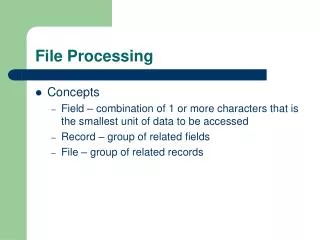
File Processing • Concepts • Field – combination of 1 or more characters that is the smallest unit of data to be accessed • Record – group of related fields • File – group of related records
Databases • Data organized in a manner that allows access, retrieval and use of that data • DBMS (data base management system) • Software that can create, add, delete, manipulate and retrieve data from a database.
Why DBMS? • Helps to eliminate data redundancy • Registrar – student files with your name address, etc. • Financial Aid may duplicate some of the data • Can be helped with centralized files and file design • Inconsistent data • Change it in 1 file was it changed in another • Low programmer productivity • DBMS can do some of the tasks that a programmer has to do with a file processing system. • Ex. Referential integrity rules (can’t delete a master record for a sales person until the customers assigned to that sales person have been deleted or updated)
Database concepts • Columns of a table (fields or attributes) • Rows of table ( records) • Database can have multiple tables • Relational databases have a fields or fields in one table that relates to a primary key in another table • Primary key – field or fields that uniquely identify a record • Foreign key – field or fields in one table that relates to a primary key in another
Accessing Databases in Visual Basic • To access a database you use a database protocol • DAO – Data Access Object • RDO – Remote Data Object • ADO – ActiveX Data Object
Ways to Access Databases in VB • Two ways to work with the protocols • Use built in Visual Basic Controls • use special controls to connect to and move through databases • Add the data control to a form and then set properties, methods and events • Simple to use but limited in what you can do. • Reference a library of programming objects that let you handle the protocols in code
Each data control supports SQL • SQL – structured query language • Standard language that can add, delete, modify and retrieve data as well create a database
DAO • Early versions of VB did not support databases • By ver 4.0 Access type databases were supported – Access uses the jet database engine • DAO was created to support the Jet database and database programming took off with VB • There was also a DAO object library created
RDO • Originally DBMS operated on stand alone computers, but now multiple computers may share data across a network • Microsoft came up with a standard named ODBC (open database connectivity) • ODBC sets up protocols to work with non-Microsoft databases such as Oracle • RDO allows direct access to ODBC connections( all data does not follow ODBC specs)
Universal Data Access • Universal Data Access • a strategy by Microsoft to provide access to all types of data without requiring it to be stored in a standard format • Types of data include databases, files, Internet data • To implement this model an interface named COM( Component Object Modules) • Protocol by which different objects communicate
OLE DB and ADO • A standard interface for accessing information stored in many formats • In Visual Basic you access OLD DB through ActiveX Data Objects (ADO) • Controls
Intrinsic and ActiveX Controls • Intrinsic – • ex. Text box (not unique to VB but available in all windows programs through the windows API) Code to implement one is embedded in the .exe • ActiveX • code to implement it is stored in a separate file .OCX • File must reside on computer with your VB .exe • ActiveX control is independent of VB and can be used in other languages