The second is the reader itself called Follett Digital Reader:
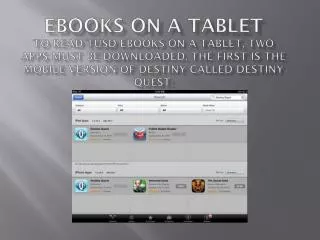
eBooks on a Tablet To read TUSD eBooks on a tablet, two apps must be downloaded. The first is the mobile version of Destiny called Destiny Quest: . The second is the reader itself called Follett Digital Reader: .

The second is the reader itself called Follett Digital Reader:
E N D
Presentation Transcript
eBooks on a Tablet To read TUSD eBooks on a tablet, two apps must be downloaded. The first is the mobile version of Destiny called Destiny Quest:
The second is the reader itself called Follett Digital Reader:
Once the two apps are downloaded, sign in to Destiny Quest using the TUSD Destiny URL and your District Standard username and password. http://tusddestiny.tustin.k12.ca.us
After selecting “Check Out” and then “Read Now” from the next screen, the Follett Digital Reader app will auto-launch.
Next, sign in to the Digital Reader using your District Standard username and password. A user will also need his library’s Follett credentials:Beckman student’s use wbb01515
Once logged into Destiny Quest, the catalog can be browsed, holds can be placed, and eBooks can be read by selecting “Open in Browser” and then “Check Out” from an electronic book’s record: