
Uploaded by
kerry-grimes
4 SLIDES
260 VUES
40LIKES
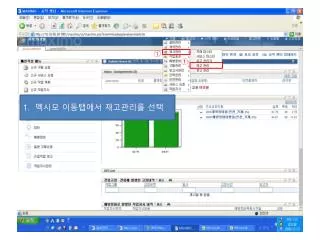
멕시모 이동탭에서 재고관리를 선택
DESCRIPTION
①. ①. 멕시모 이동탭에서 재고관리를 선택. ②. ①. 1. 창고번호 (EX.2 호압연공무 -5140 ) 입력 2. 재고범주에 STK 를 입력 3. ENTER 를 누른다. ①. 1. 자재품목을 선택한다. ⑤. ①. ②. ③. ④. 재주문 세부사항을 선택 재주문 시점을 입력 안전재고 입력 경제적 주문 수량 입력 저장한다.
Download
1 / 4
Télécharger la présentation 
멕시모 이동탭에서 재고관리를 선택
An Image/Link below is provided (as is) to download presentation
Download Policy: Content on the Website is provided to you AS IS for your information and personal use and may not be sold / licensed / shared on other websites without getting consent from its author.
Content is provided to you AS IS for your information and personal use only.
Download presentation by click this link.
While downloading, if for some reason you are not able to download a presentation, the publisher may have deleted the file from their server.
During download, if you can't get a presentation, the file might be deleted by the publisher.
E N D
More Related