Enhance Your Reading Experience with Destiny Quest Reviews
Welcome! Today’s objective is to help students learn how to use the online review feature of Destiny Quest to share their thoughts on independent reading with a broader audience across Baltimore County. Follow the steps to log on, open Microsoft Word, type and spell-check your review, and submit it through Destiny. You'll rate your book, add comments, and see your submission appear on-screen. After submitting, explore more by adding books to your list and reading peer reviews. Let’s get started and express your ideas!

Enhance Your Reading Experience with Destiny Quest Reviews
E N D
Presentation Transcript
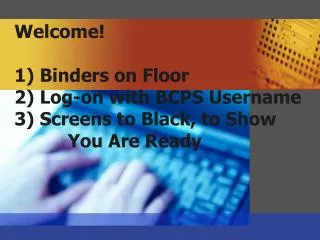
Welcome!1) Binders on Floor2) Log-on with BCPS Username3) Screens to Black, to Show You Are Ready
Today’s Objective: Students will learn how to use the online review feature of Destiny Quest to express their ideas about their indepen- dent reading to a real-world audience all over Baltimore County.
(Yellow flag for help—Red flag for me to use) • Open up Microsoft Word document, type in review. • Hilite text, click “spell check” (abc button) • Make corrections, save completed review to your “h” drive—just to be safe, minimize page • Open up Destiny, Click “Catalog” then “Destiny Quest”, Log-in to type review, Find: title of book • Click on book title, then click “Add Review” • Rate your book 1-5 stars • Copy and paste book review from Word doc into the “Comments” box, and save. Be sure your submission appears on-screen. • When finished, stay in Destiny. You may add books to your list, read other student reviews, or post a new review for a book you have read.
In Destiny: • Open up Destiny, click “Catalog” • Then click “Destiny Quest”, • Log-in to type review, Find: title of book • Click on book title, • Then click “Add Review” • Rate your book 1-5 stars • Copy and paste book review from Word doc into the “Comments” box, and save. Be sure your submission appears on-screen When finished, stay in Destiny. Add books to your list, read other student reviews, or post a new review for a book you have read.
When finished, stay in Destiny. • Add books to your list • Read other student reviews • Post a new review for a book you have read • (check out books only if time allows)