
HTML
E N D
Presentation Transcript
HTML Hypertext Markup Language
Objectives • To be able to create simple Web pages • To understand certain advanced HTML concepts such as tables and frames • To understand the future of HTML
Outline Day 1 • HTML Overview • Basic HTML • Text formatting • Lists • Hyperlinks • Images
Outline Day 2 • Advanced HTML • Tables • Frames • Design Guidelines • Future of HTML • Wrap-up • What an advanced HTML /Web course would entail
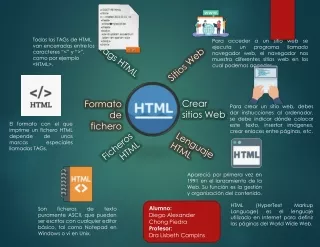
Definition : HTML • Hypertext Markup Language • Simplified subset of Standardized Markup Language (SGML) • Defines the structure of a document • Contrary to assumption, it does NOT completely define the document look as explicit rendering depends on the browser
Definition : Tags • Features or elements delineated inside of brackets (<>) • In these slides, the current style of tags will be shown in black and the deprecated style will be shown below in italics
Definition : Attributes • Parameters inside of tags that define values for a given tag
Definition : Events • Actions that occur within a Web page that can be realized by an HTML document
Basic Structure of anHTML Page <HTML> <HEAD> <TITLE> Title goes here </TITLE> </HEAD> <BODY> </BODY> </HTML>
BODY Attributes • BGCOLOR=“#000000” • TEXT=“#000000” • LINK=“#000000” • VLINK=“#000000” • ALINK=“#000000” • BACKGROUND=“URL of image”
Comments <!-- This is a comment -->
Headers <H1> First-level heading </H1> <H2> Second-level heading </H2> <H3> Third-level heading </H3> <H4> Fourth-level heading </H4> <H5> Fifth-level heading </H5> <H6> Sixth-level heading </H6>
Character Formatting : Fonts <FONT SIZE=1> Tiny text </FONT> <FONT SIZE=2> Smaller text </FONT> <FONT SIZE=3> Small text </FONT> <FONT SIZE=4> Normal text </FONT> <FONT SIZE=5> Large text </FONT> <FONT SIZE=6> Big text </FONT> <FONT SIZE=7> Huge text </FONT>
Character Formatting :Base Font for Document <BASEFONT SIZE=1 /> <BASEFONT SIZE=2 /> <BASEFONT SIZE=3 /> <BASEFONT SIZE=4 /> <BASEFONT SIZE=5 /> <BASEFONT SIZE=6 /> <BASEFONT SIZE=7 />
Character Formatting :Base Font for Document Deprecated Style <BASEFONT SIZE=1> <BASEFONT SIZE=2> <BASEFONT SIZE=3> <BASEFONT SIZE=4> <BASEFONT SIZE=5> <BASEFONT SIZE=6> <BASEFONT SIZE=7>
Character Formatting : Fonts <FONT SIZE=-3> Tiny text </FONT> <FONT SIZE=-2> Smaller text </FONT> <FONT SIZE=-1> Small text </FONT> <FONT SIZE=+1> Large text </FONT> <FONT SIZE=+2> Big text </FONT> <FONT SIZE=+3> Huge text </FONT>
Character Formatting :Font Color <FONT COLOR=“#FF0000”> Red </FONT> <FONT COLOR=“#00FF00”> Green </FONT> <FONT COLOR=“#0000FF”> Blue </FONT>
Character Formatting : Emphasis (Usually Italic) <EM> Emphasized text </EM>
Character Formatting : Strong (Usually Bold) <STRONG> Strong text </STRONG>
Character Formatting : Code (Usually Courier) <CODE> Code text </CODE>
Character Formatting : Keyboard (Usually Courier) <KBD> Text to be typed </KBD>
Character Formatting : Variable <VAR> Variable text </VAR>
Character Formatting : Sample <SAMP> Sample text </SAMP>
Character Formatting : Definition <DFN> Definition of a term </DFN>
Character Formatting : Citation <CITE> Citation text </CITE>
Character Formatting : Addresses <ADDRESS> john.doe@email.com John Doe </ADDRESS>
Character Formatting : Deprecated “Physical” Tags <B> Bold text </B> <I> Italic text </I> <TT> Typewriter text </TT> <U> Underlined text </U> <S> Strike through text </S> <BIG> Bigger text </BIG> <SMALL> Smaller text </SMALL> <SUB> Subscript text </SUB> <SUP> Superscript text </SUP>
Horizontal Rule <HR /> Deprecated style <HR> • HR Attributes • SIZE=10 (thickness in pixels) • WIDTH=100 (width in pixels) • WIDTH=50% • ALIGN=LEFT, CENTER, RIGHT • NOSHADE
Line Break <BR /> Deprecated style <BR>
Paragraphs <P> This is a paragraph. This can include any number of sentences. Yadda yadda ya. </P> Deprecated style <P> This is a paragraph. This can include any number of sentences. Yadda yadda ya.
Block Quote <BLOCKQUOTE> Four score and seven years ago… </BLOCKQUOTE>
Preformatted Text <PRE> Whatever, However this text is displayed ====================== Just as it is here </PRE>
Divisions <DIV> </DIV> • DIV Attributes ALIGN=LEFT, CENTER, RIGHT • Note: <DIV ALIGN=CENTER> Whatever </DIV> should be the same as: <CENTER> Whatever </CENTER>
Lists • Ordered (Numbered) list • Unordered list • Menu list • Directory list • Definition (Glossary) list
Ordered (Numbered) List <OL> <LI /> Item 1 <LI /> Item 2 </OL> Deprecated Style <OL> <LI> Item 1 <LI> Item 2 </OL>
Ordered (Numbered) List :Type Attribute <OL TYPE=“1”> <LI /> Item 1 <LI /> Item 2 </OL> Deprecated Style <OL TYPE=“1”> <LI> Item 1 <LI> Item 2 </OL>
Ordered (Numbered) List :Type Attribute <OL TYPE= “a”> <LI /> Item a <LI /> Item b </OL> Deprecated Style <OL TYPE=“a”> <LI> Item a <LI> Item b </OL>
Ordered (Numbered) List :Type Attribute <OL TYPE=“A”> <LI /> Item A <LI /> Item B </OL> Deprecated Style <OL TYPE=“A”> <LI> Item A <LI> Item B </OL>
Ordered (Numbered) List :Type Attribute <OL TYPE=“i”> <LI /> Item i <LI /> Item ii </OL> Deprecated Style <OL TYPE=“i”> <LI> Item i <LI> Item ii </OL>
Ordered (Numbered) List :Type Attribute <OL TYPE=“I”> <LI /> Item I <LI /> Item II </OL> Deprecated Style <OL TYPE=“I”> <LI> Item I <LI> Item II </OL>
Ordered (Numbered) List :Start Attribute <OL START=10> <LI /> Item 10 <LI /> Item 11 </OL> Deprecated Style <OL START=10> <LI> Item 10 <LI> Item 11 </OL>
Ordered (Numbered) List :Type and Start Attributes <OL TYPE=“I” START=5> <LI /> Item V <LI /> Item VI </OL> Deprecated Style <OL TYPE=“I” START=5> <LI> Item V <LI> Item VI </OL>
Unordered List <UL> <LI /> First Item <LI /> Second Item </UL> Deprecated Style <UL> <LI> First Item <LI> Second Item </UL>
Unordered List : Type Attribute <UL TYPE=“disk”> <LI /> First Disk Item <LI /> Second Disk Item </UL> Deprecated Style <UL TYPE=“disk”> <LI> First Disk Item <LI> Second Disk Item </UL>
Unordered List : Type Attribute <UL TYPE=“square”> <LI /> First Square Item <LI /> Second Square Item </UL> Deprecated Style <UL TYPE=“square”> <LI> First Square Item <LI> Second Square Item </UL>
Unordered List : Type Attribute <UL TYPE=“circle”> <LI /> First Circle Item <LI /> Second Circle Item </UL> Deprecated Style <UL TYPE=“circle”> <LI> First Circle Item <LI> Second Circle Item </UL>
Menu List <MENU> <LI /> Menu Item 1 <LI /> Menu Item 2 </MENU> Deprecated Style <MENU> <LI> Menu Item 1 <LI> Menu Item 2 </MENU>
Directory List <DIR> <LI /> Directory Item 1 <LI /> Directory Item 2 </DIR> Deprecated Style <DIR> <LI> Directory Item 1 <LI> Directory Item 2 </DIR>
Definition (Glossary) List <DL> <DT /> Term 1 <DD /> Definition 1 <DT /> Term 2 <DD /> Definition 2 </DL> Deprecated Style <DL> <DT> Term 1 <DD> Definition 1 <DT> Term 2 <DD> Definition 2 </DL>
Links <A HREF=“URL”> URL related text </A> <A HREF=“URL”> <IMG SRC=“URL2” /> </A> URLs can be any of the following: http://hostname:port/directory/filename.html ftp://username:password@ftp.site.com/directory/file file://directory/file.txt mailto://joe.doe@email.com gopher://hostname/directory/file news:site