Simplified Tic Tac Toe Game in Java Using JPanel and JButtons
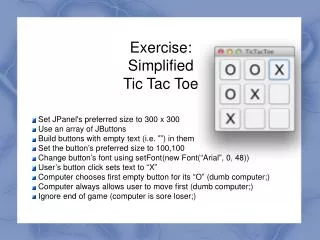
This project implements a basic Tic Tac Toe game in Java using a JPanel and JButtons for a simple graphical interface. The panel is set to a preferred size of 300x300 pixels, and it creates buttons with empty text to represent the game grid. Each button is sized at 100x100 pixels with a font style of Arial. When a user clicks a button, it changes to display "X". The computer, which makes dumb moves, will fill the first available empty button with "O". The game ignores end conditions, focusing purely on user interaction.

Simplified Tic Tac Toe Game in Java Using JPanel and JButtons
E N D
Presentation Transcript
Exercise:SimplifiedTic Tac Toe 1 Set JPanel's preferred size to 300 x 300 Use an array of JButtons Build buttons with empty text (i.e. ””) in them Set the button’s preferred size to 100,100 Change button’s font using setFont(new Font(“Arial”, 0, 48)) User’s button click sets text to “X” Computer chooses first empty button for its “O” (dumb computer;) Computer always allows user to move first (dumb computer;) Ignore end of game (computer is sore loser;)















![[Exercise Name]](https://cdn2.slideserve.com/4369850/exercise-name-dt.jpg)