Diagnostic Trouble Codes
100 likes | 255 Vues
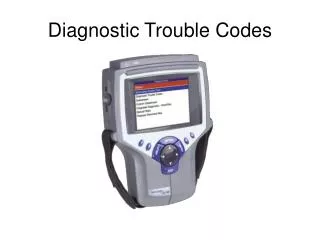
This guide provides step-by-step instructions on how to access and interpret Diagnostic Trouble Codes (DTC) on your vehicle's system. By navigating to the DTC section and utilizing the software functions, you can read current codes and determine necessary repairs. Understanding these codes is critical for efficient troubleshooting and ensuring your vehicle operates optimally. Follow the outlined procedures to enhance your diagnostic skills and effectively resolve issues.


Diagnostic Trouble Codes
E N D
Presentation Transcript
Scroll to Diagnostic Trouble Codes and press Enter Enter Scroll to Diagnostic Trouble Codes
Scroll to Read Codes and press Enter Enter Scroll to Read Codes
Scroll to Code area to review and press Enter Enter Scroll to Current Codes
Press the Pathfinder soft key to utilize diagnostic information to repair the DTC Press the Pathfinder soft key
Exit Exit
Exit Exit
Exit Exit
Exit Exit