Understanding File Reading and Inheritance in Java
This guide provides an overview of reading files and utilizing inheritance in Java. Learn how to create a file object, use the Scanner class for reading text files, and implement line numbering while reading lines. The concept of inheritance allows for easy extension of class functionality, as seen in abstract classes and concrete subclasses. We explore examples of shapes like circles, squares, and rectangles, highlighting polymorphism and method overriding. Gain insight into access modifiers and the hierarchy of classes through practical examples related to student types.

Understanding File Reading and Inheritance in Java
E N D
Presentation Transcript
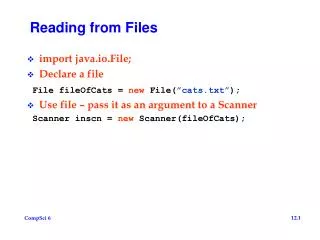
Reading from Files • import java.io.File; • Declare a file File fileOfCats = new File(”cats.txt”); • Use file – pass it as an argument to a Scanner Scanner inscn = new Scanner(fileOfCats);
Using Scanner class to read • Import java.util.Scanner; • Look at API • Declare Scanner and bind it to a file (last slide) • Make sure there is input still to read while(inscn.hasNext()) • Read next line String line = inscn.nextLine(); • Read next word String word = inscn.next();
Look at LineNumberer • Snarf L0922 • Look at LineNumber.java • Creates a File and a Scanner • Reads one line at a time, counts the lines and prints out the file with line numbers.
Why Inheritance? • Add new shapes easily without changing much code • Shape s1 = new Circle(); • Shape s2 = new Square(); • Abstract base class: • interface or abstraction • Function called at runtime • Concrete subclass • All abstract functions implemented • Later we'll override • “is-a” view of inheritance • Substitutable for, usable in all cases as-a shape mammal ScoreEntry FullHouse, LargeStraight User’s eye view: think and program with abstractions, realize different, but conforming implementations, don’t commit to something concrete until as late as possible
Example of Inheritance • What is behavior of a shape? void doShape(Shape s) { System.out.println(s.area()); System.out.println(s.perimeter()); s.expand(2.0); System.out.println(s.area()); System.out.println(s.perimeter()); } Shape s1 = new Circle(2); Shape s2 = new Square(4); Shape s3 = new Rectangle(2,5); doShape(s1); doShape(s2); doShape(s3);
Inheritance • Allows you to reuse code • Start with a Class (superclass or parent) • Create child class that extends the class (subclass) • The subclass can: • Use the methods from the superclass or • Override them (use the same name, but the code is different) • If the subclass redefines a superclass method, can still call the superclass method with the word “super” added.
Access to Instance Variables(state) • public • Any class can access • private • subclasses cannot access • protected • subclasses can access • other classes cannot access
Example (Lab today) • Student (superclass) • DukeStudent (extends Student) • CosmicStudent (extends DukeStudent) • Look at code, what is the output?