Integrating Technology in Classroom: A Guide to Interactive Learning Tools
This guide explores various educational technology applications to enhance classroom learning. Key platforms include Prezi for engaging presentations, Poll Everywhere for real-time feedback and anonymous questions, YouTube for supplementary instructional videos, and Desmos as an online graphing calculator suitable for interactive lessons. These resources help teachers model data with quadratic functions, support absent students, and provide meaningful daily feedback. Ideal for educators seeking innovative ways to foster student engagement and understanding in math and other subjects.

Integrating Technology in Classroom: A Guide to Interactive Learning Tools
E N D
Presentation Transcript
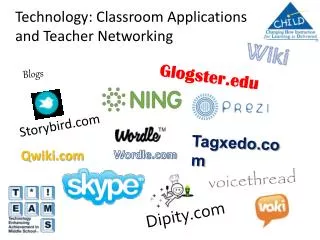
Classroom Technology Applications Prezi.com PollEverywhere.com YouTube.com Desmos.com MHS.MrBrandl.com MrBrandl.com
Correct 5-6 • Questions on 5-7 • Daily L to J • Lesson 5-8 (p.374-376) • Use quadratic functions to modeldata. • Use quadratic models to analyzeand predict. • Assignment 5-8
Prezi.com • Textbook Pages • Easily zoom in and out • Class reference • No need to recreate drawings, data, etc. • Example:Algebra II – Lesson 5-8
PollEverywhere.com • Assignment Questions • Ask anonymously • Can easily see the common questions • Daily Feedback • Anonymous feedback on the class • Positives and things to adjust • Example:Give it a try!
YouTube.com • L to J • Work on gaps identified in L to J quizzes • Absent Students • Work ahead or catch up • Questions • Don’t want to ask in class, but will watch a video • Substitute Teacher • Can teach even when out of the building! • Examples:Alg II – Chapter 5 VideosMr. Brandl’s YouTube ChannelYouTube Education
Desmos.com • Online Graphing Calculator • Free • Works great on SMARTBoards & iPads • Can save and share graphs • Very interactive • Doesn’t work in IE 8 • Website:www.abettercalculator.com