Download
1 / 4
40 likes | 170 Vues
Discover a range of assistive technology tools designed to support reading and writing abilities. Explore software and tools like screen readers, text-to-speech programs (e.g., JAWS, Kurzweil), and alternative book formats from platforms like Bookshare. Enhance writing with graphic organizers through Kidspiration, Dragon Naturally Speaking for speech recognition, and word prediction software such as WordQ or Co-Writer. Additionally, learn about portable word processors like Neo and Fusion for on-the-go access and spelling support tools that provide feedback, making reading and writing more accessible.

E N D
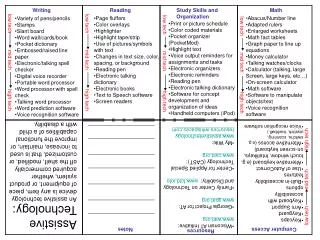
Tools and Software for Reading • Screen readers and text to speech software • Kurzweil, Clicker 5, Jaws • Alternative formats of books – books on tape, digital text (www.bookshare.org) • Reading pen
Tools and Software for Writing • Speech Recognition Software: software that recognizes what you are saying and transcribes it into text or as commands • Dragon Naturally Speaking • SpeakQ (w/WordQ) • Kidspiration/Inspiration/Kurzweil: software that assists with the writing process through graphic organizers, outlines, and writing support • Software with visual supports • Writing with Symbols • Pixwriter • Word Prediction: assist by providing word choices; specialized software can include text-to-speech features and additional options • WordQ • Co-Writer
Tools and Software for Writing cont. • Portable Word Processors: used for access to keyboard across settings • Neo • Fusion • Student Mate • Writer • Spellcheckers/electronic dictionaries: provide spelling support/word options; some include speech feedback