
Uploaded by
liang
12 SLIDES
388 VUES
130LIKES
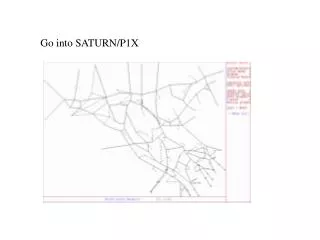
Go into SATURN/P1X
DESCRIPTION
Go into SATURN/P1X. Steps in Creating a DRACULA Network from a SATURN Model. Cordon/Cut line. Save “Network .dat (for SATNET)” to file testcod.dat. Save “trip Matrix” to file testcod.ufm. Save the trip matrix with “Actual Flows”. Then follow the steps below: Quit P1X
Download
1 / 12
Télécharger la présentation 
Go into SATURN/P1X
An Image/Link below is provided (as is) to download presentation
Download Policy: Content on the Website is provided to you AS IS for your information and personal use and may not be sold / licensed / shared on other websites without getting consent from its author.
Content is provided to you AS IS for your information and personal use only.
Download presentation by click this link.
While downloading, if for some reason you are not able to download a presentation, the publisher may have deleted the file from their server.
During download, if you can't get a presentation, the file might be deleted by the publisher.
E N D
Presentation Transcript
Then follow the steps below: • Quit P1X • Run “SATNET testcod” and get output testcod.ufn • Run “SATURN testcod testcod” and get testcod.ufs and testcod.ufc files • Run “SATPIG testcod testcod” and get testcod.lpg file which contains the assigned routes and route flows • Rename testcod.dat testcod.net • Run DRACULA pre-processor program “DRACPREP” • Run DRACULA microsimulation program “DRACSIM”







More Related