Download
1 / 55
550 likes | 680 Vues
This resource explores the integration of technology, specifically Livebinders, into ABLE/GED classrooms to enhance student learning. It outlines four key benefits of using the internet: improving computer skills needed for testing, simplifying the challenges faced by students, fostering critical thinking abilities, and preparing learners for post-secondary transitions. The guide offers insights into effective teaching strategies, organizational tips for resources, and ways to navigate Livebinders, ultimately aiming to empower students with the skills necessary for success in academic and career paths.

E N D
Using the Internet in the ABLE/ GED ClassroomMaureen Daly, InstructorSheila Manley, Transition CoordinatorCuyahoga Community College Livebinders
goals • To understand how and why we use Livebinders to integrate technology • To create a Livebinder
WhyIntegrate The internet? Integration 4 REASONS
#1. Computer Based Testing • keyboard • mouse • navigate • compose text
Keyboarding skills • Students will need to type 25+ word/ minute in order to complete responses on timed tests
Mouse • Students will need to use the mouse options: left click, right click, and double click.
Navigation • Students must know how to navigate toolbars, drop down menus, undo and redo operations. • Students will also be allowed to mark a question as “Flag for Review” and return to section as needed.
#2. lessen the Challenges of ABLE/GED class • Improve academic skills in multilevel class • Learning disabilities • Keep paperwork organized • documentation • lesson plans
#3. change in required student skills • Critical Thinking Skills • Basic computer skills • Learn how to learn using the internet as a tool
#4 Transitions • What’s next? • What are the post- secondary options? • Soft skills
Failures... • Free classroom websites • Facebook page
Mediocre success... A list of web sites on a sheet of paper
How do I help my students learn to use the internet as a tool?
How do I access it? www.livebinders.com
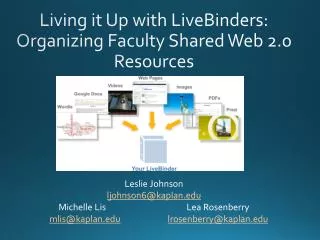
What is a Livebinder? Livebinders is 3 ring binder for the web with tabs and sub-tabs to organize resources: webpages images videos powerpoint presentations
Technology in the classroom The Livebinders platform assists students: Computer skills Academic skills Transition skills
www.livebinders.com • Tri-C GED • two options for search: all public binders and shelves Tri-C GED
Commas & Grammar Commas
Science Subtab- Contemporary GED Choose a chapter overview outline flashcards
Advantages of Livebinders • One stop shopping/ easy access for the students • Homework without looking like homework • Increase academic achievement • Provide information regarding post -secondary options • and transitions
Challenges with Tri-C GED Livebinders • Links to sites no longer exist/ redirected • Requires some management • Currently teacher driven • Students need specific directions
ADVANTAGES FOR INSTRUCTORS • Supplement / reinforce classwork • Encourage student centered learning • Aid for differentiated/ multi-level classrooms • Connect with students on Facebook, Twitter, and email
How to access the Tri-C GED shelf? www.livebinders.com
Tri-C GED Shelf • Tri-C GED Shelf has 10 binders • Students- GED, ESOL,& Family Resources • Staff- ABLE, ESOL Teacher Resources, and Contextualized Lesson Plans • Technology related
ESOL Teacher Resources • Tabs include • Speaking • Listening • ESOL math • Civics
Problems • Two is company.... • Not collaboration friendly
career services Text
worksheet Text
online orientation Text
Employability Text