
Uploaded by
lisbet
9 SLIDES
315 VUES
90LIKES
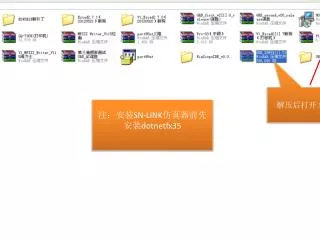
解压后打开文件夹
DESCRIPTION
解压后打开文件夹. 注:安装 SN-LINK 仿真器前先安装 dotnetfx35. 打开 dotnetfx35. 一直打开文件夹,直到找到此图标并打开. 点击下一步. 等待安装. 安装完成后,点击 退出,再安装 WinScope IDE. 注:仿真软件不可以放到有中文字符的路径下. 下载解压后打开 WinScope IDE. 双击安装 WinScope IDE. 已成功安装仿真软件.
Download
1 / 9
Télécharger la présentation 
解压后打开文件夹
An Image/Link below is provided (as is) to download presentation
Download Policy: Content on the Website is provided to you AS IS for your information and personal use and may not be sold / licensed / shared on other websites without getting consent from its author.
Content is provided to you AS IS for your information and personal use only.
Download presentation by click this link.
While downloading, if for some reason you are not able to download a presentation, the publisher may have deleted the file from their server.
During download, if you can't get a presentation, the file might be deleted by the publisher.
E N D
Presentation Transcript
解压后打开文件夹 注:安装SN-LINK仿真器前先安装dotnetfx35
注:仿真软件不可以放到有中文字符的路径下 下载解压后打开WinScope IDE
More Related