
Chapter 11: Perl Scripting
E N D
Presentation Transcript
Chapter 11:Perl Scripting Off Larry’s Wall
In this chapter … • Background • Terminology • Syntax • Variables • Control Structures • File Manipulation • Regular Expressions
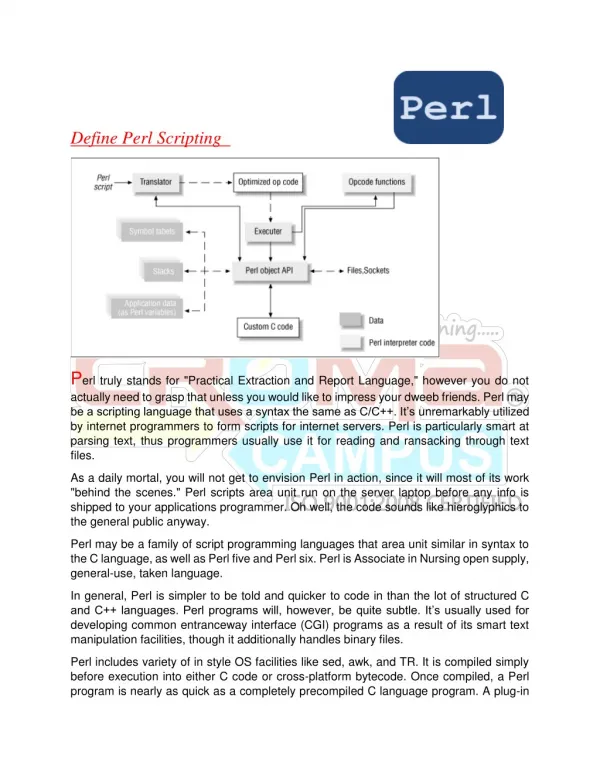
Perl • Practical Extraction and Report Language • Developed by Larry Wall in 1987 • Originally created for data processing and report generation • Elements of C, AWK, sed, scripting • Add-on modules and third party code make it a more general programming language
Features • C-derived syntax • Ambiguous variables & dynamic typing • Singular and plural variables • Informal, easy to use • Many paradigms – procedural, functional, object-oriented • Extensive third party modules
Features, con’t • As elegant as you make it • Do What I Mean intelligence • Fast, easy, down and dirty coding • Interpreted, not compiled • perldoc – man pages for Perl modules
Terminology • Module – one stand alone piece of code • Distribution – set of modules • Package – a namespace for one or more distributions • Package variable – declared in package, accessible between modules • Lexical variable – local variable (scope)
Terminology, con’t • Scalar – variable that contains only one value (number, string, etc) • Composite – variable made of one or more scalars • List – series of one or more scalars • e.g. (2, 4, ‘Zach’) • Array – composite variable containing a list
Invoking Perl • perl –e ‘text of perl program’ • perl perl_script • Make perl script executable and you can execute the script itself • i.e. ./my_script.pl • Common file extension .pl not required • Like other scripts start with #! to specify execution program
Invoking Perl, con’t • Use perl –w to display warnings • Will warn if using undeclared variables • Instead of –w, use warnings; in your script • Same effect • Usually you’ll find perl in /usr/bin/perl
Syntax • Each perl statement ended by semicolon (;) • Can have multiple statements per line • Whitespace ignored largely • Except within quoted strings • Double quotes allow interpretation of variables and special characters (like \n) • Single quotes don’t (just like the shell)
Syntax, con’t • Forward slash used to delimit regular expressions (e.g. /.*sh?/) • Backslash used for escape characters • E.g. \n – newline, \t – tab • Lines beginning with # are ignored as comments
Output • Old way • print what_to_print; • Concatenate • print item_1, item_2 • Want a newline? • print what_to_print, “\n” • New way • say what_to_print • Automatically adds newline
Output, con’t • what_to_print can be many things • Quoted string – “Here’s some text” • Variables - $myvar • Result of a function – toupper($myvar) • A combination • print “Sub Tot: $total \n”, “Tax: $total*$tax \n” • Want to display an error and exit? • die “Uh-oh!\n”;
Variables • Perl variables can be singular or plural • Data typing done dynamically at runtime • Three types • Scalar (singular) • Array (plural) • Hash a.k.a. Associative Arrays (plural) • Variable names are case sensitive • Can contain letters, numbers, underscore
Variables, con’t • Each type of variable starts with a different special character to mark type • By default all variables are package in scope • To make lexical, preface declaration with my keyword • Lexical variables override package variables • Include use strict; to not allow use of undeclared variables
Variables, con’t • We’ve already covered use warnings; • Undeclared variables, if referenced, have a default value of undef • Equates to 0 or null string • Can check by using defined() function • $. is equal to the line number you’re on • $_ is the default operand – ‘it’
Scalars • Singular, holds one value, either string or number • Must be preceded with $ i.e. $myvar • Perl will automatically cast between strings and numbers • Will treat as a number or string, whichever is appropriate in context
Arrays • Plural, containing an ordered list of scalars • Zero-based indexing • Dynamic size and allocation • Begin with @ e.g. @myarray • @variablereferences entire array • To reference a single element (which would be a scalar, right?) $variable[index]
Arrays, con’t • $#arrayreturns the index of the last element • Zero based – this means it’s one less than the size of the array • @array[x..y] returns a ‘slice’ or sublist • Printing arrays • Array enclosed in double quotes prints space delimited list • Not in quotes all entries concatenated
Arrays, con’t • Arrays can be treated like FIFO queues • shift(@array) – pop first element off • push(@array, scalar) – push element on at end • Use splice to combine arrays • splice(@array,offset,length,@otherarray)
Hashes • Plural, contain an array of key-value pairs • Prefix with % i.e. %myhash • Keys are strings, act as indexes to array • Each key must be unique, returns one value • Unordered • Optimized from random access • Keys don’t need quotes unless there are spaces
Hashes, con’t • Element access • $hashvar{index} = value • e.g. $myvar{boat} =“tuna”; print $myvar{boat}; • %hashvar = ( key => value, …); • e.g. %myvar = ( boat => “tuna”, 4 => “fish”); • Get array of keys or values • keys(%hashvar) • values(%hashvar)
Evaluating Expressions • Most control structures use an expression to evaluate whether they are run • Perl uses different comparison operators for strings and numbers • Also uses the same file operators (existence, access, etc) that bash uses
Expressions • Numeric operators • ==, !=, <, >, <=, >= • <=> returns 0 if equal, 1 if >, -1 if < • String Operators • eq, ne, lt, gt, le, ge • cmp same as <=>
Control Structures • if (expr) {…} • unless (expr) {…} • if (expr) {…} else {…} • if (expr) {…} elsif (expr) {…} … else {…} • while (expr) {…} • until (expr) {…}
Control Structures, con’t • for and foreach are interchangeble • Syntax 1 • Similar to bash for…in structure • foreach [var] (list) {…} • If var not defined, $_ assumed • For each loop iteration, the next value from list is populated in var
Control Structures, con’t • for/foreach Syntax 2 • Similar to C’s for loop • foreach (expr1; expr2; expr3) {…} • expr1 sets initial condition • expr2 is the terminal condition • expr3 is the incrementor
Control Structures, con’t • Short-circuiting loops • Use last to break out of loop altogether • Same as bash’s break • Use next to skip to the next iteration of the loop • Same as bash’s continue
Handles • A handle is essentially a variable linked to a file or process • Perl automatically opens handles for the default streams • STDIN, STDOUT, STDERR • You can open additional handles • To a file for input/output/appending • To a process for input/output
Handles, con’t • Basic syntax • open(handle, [‘mode’], “ref”); • handle is a variable to reference the handle • mode can be many things • Simple cases: <, >, >>, | • Input (<) implied if omitted • ref is what to open – file or process • mode and ref can be combined as one string
Handles, con’t • Once open access via handle variable • Output • print handle “what to print” • Input • $var = <handle> gets one line of input • Use <handle> as a loop condition to read input one line at a time, populating $_
Handles, con’t • <> - magic handle, pulls from STDIN or command line arguments to perl • Line of input contains EOL character • Use chomp($var) to remove it • Use chop($var) to remove the last character • When done close(handle); • Housekeeping, good coding practice • Perl actually closes all open handles for you
Handles, con’t • Examples • open(my $INPUT, “/path/to/file”); • open(my $ERRLOG, “>>/var/log/errors”); • open(my $SORT, “| sort –n”); • open(my $ALIST, "grep \'^[Aa]\' /usr/share/dict/words|") • while(<INPUT>) { print $ERRLOG $_; }
Regular Expressions • Recall Appendix A • Perl has a few unique features and caveats • Regular Expressions (RE) delimited by forward slash • Perl uses the =~ operator for RE matching • Ex. if ($myvar =~ /^T/) { …} # if myvar starts w/ T • To negate RE matching use !~ operator
RE, con’t • =~ operator can also be used to do replacement • Ex. $result =~s/old/new/; • ‘old’ replaced with ‘new’ if matched • Remember, RE (esp. in Perl) are greedy • Will match longest possible match • Bracketed expressions don’t need to be escaped, just use parentheses