Download
1 / 15
150 likes | 257 Vues
This guide outlines the step-by-step process to create a user-friendly order form in Microsoft Access that integrates customer search and order management functionalities. You will design the `qryFindCustomer` query to locate customers and link it to the `frmFindCustomer` form with a selection button. Additionally, you will create `frmTemporaryItems`, using combo boxes and input fields to capture order details and calculate totals dynamically. The appendices include VBA code snippets for events and data management to ensure smooth user interaction.

E N D
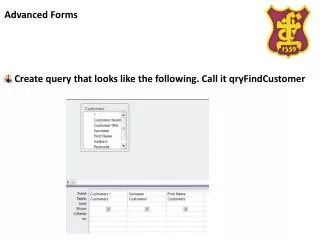
Advanced Forms Create query that looks like the following. Call it qryFindCustomer
Advanced Forms Create a form based on the query you have just created and add a button to it like this. Call it frmFindCustomer btnSelect
Advanced Forms Create a form as shown below – call it frmTakeOrder pagChooseCustomer & pagChooseItems TabControl btnFind txtSurname txtFirstName Subform – frmFindCustomer
Advanced Forms Add the following as criteria to the query qryFindCustomer
Advanced Forms Add the following code as an event for the button btnFind Private Sub btnFind_Click() [frmFindCustomer].Requery End Sub
Advanced Forms Create the following table - tblTemporaryItems Note the Default value for “Medium”
Advanced Forms Create a new form called frmTemporaryItems. Make the form default view – Continuous Forms Make the record source for the form tblTemporaryItems
Advanced Forms Create a new form called frmTemporaryItems. Make the form default view – Continuous Forms Make the record source for the form tblTemporaryItems Add the head and footer.
Advanced Forms Add a combo box - cmbDescription
Advanced Forms Add a combo box
Advanced Forms Add the following values to the data tab in the combo box object. Control Source – Description Bound Column - 2
Advanced Forms Add three more input boxes and bind them to Medium, Price and Qty respectively on their Control Source (Data tab)
Advanced Forms Add the following code as an update event for the combo box. This will update the table with the rest of the data. Private Sub cmbDesciption_Click() Me.txtMedium = Me.cmbDesciption.Column(2) Me.txtPrice = Me.cmbDesciption.Column(3) Me.txtQty = CInt(InputBox("Enter in Quantity", "Quantity", 1)) DoCmd.RunCommandacCmdSaveRecord End Sub
Advanced Forms Add another inputbox (txtTotal) make the format currency and put the following as the control source =[Price]*[Qty]
Advanced Forms In the footer – add another textbox (txtGrandTotal) and make the format currency. Add the following formula into the Data Source =sum([Price]*[Qty])