Introduction to Keyboarding: The Universal Keyboard and Basic Skills
10 likes | 147 Vues
Learn about the history of the QWERTY keyboard and basic keyboarding skills. Explore creating safe passwords, using network accounts, rules, posture, and more. Start with GKC Lessons 1.1-1.2. Assessment on Standards: 1.5, 2.5, 2.7, 2.10, 2.13


Introduction to Keyboarding: The Universal Keyboard and Basic Skills
E N D
Presentation Transcript
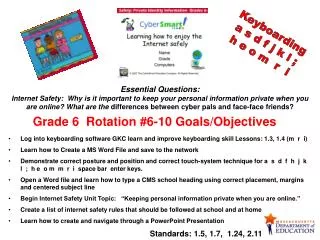
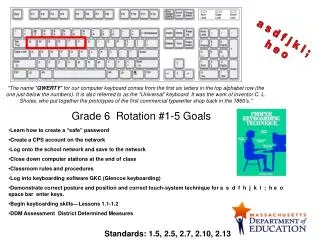
a s d f j k l ; h e o Grade 6 Rotation #1-5 Goals "The name "QWERTY" for our computer keyboard comes from the first six letters in the top alphabet row (the one just below the numbers). It is also referred to as the "Universal" keyboard. It was the work of inventor C. L. Sholes, who put together the prototypes of the first commercial typewriter shop back in the 1860's." • Learn how to create a “safe” password • Create a CPS account on the network • Log onto the school network and save to the network • Close down computer stations at the end of class • Classroom rules and procedures • Log into keyboarding software GKC (Glencoe keyboarding) • Demonstrate correct posture and position and correct touch-system technique for a s d f h j k l ; h e o space bar enter keys. • Begin keyboarding skills—Lessons 1.1-1.2 • DDM Assessment District Determined Measures Standards: 1.5, 2.5, 2.7, 2.10, 2.13