Enhancing Developer Productivity with VSTS 2010: Key Features and Demos
190 likes | 317 Vues
Join Cameron Skinner, Product Unit Manager at Microsoft, for a comprehensive overview of Visual Studio Team System (VSTS) 2010. This session will cover significant new functionalities designed to improve developer happiness and productivity. With a focus on testing and architecture, Skinner will highlight how enhancements make previously challenging tasks easier and help teams become more effective. The session includes demos, an engaging Q&A, and insights on key features that ensure maintainable code and streamlined processes.


Enhancing Developer Productivity with VSTS 2010: Key Features and Demos
E N D
Presentation Transcript
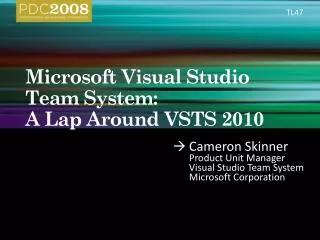
TL47 Microsoft Visual Studio Team System:A Lap Around VSTS 2010 Cameron Skinner Product Unit Manager Visual Studio Team System Microsoft Corporation
Agenda • Quick Overview - ~5 minutes • Demos - ~50 – 55 minutes • Q&A – to the end
Team System 2010 == BIG Release • A TON of new functionality throughout the Suite • Particular focus on Test and Architecture But why should you, the Developer, care?
Happiness! • You’re Happy When • What was hard, is now easy • You’re productive • Code is maintainable • Your team is effective every day
demo A New Bug Doug Seven Senior Product Manager Visual Studio Team System
demo Fix the Bug and Check In
demo The Butterfly Effect
demo Testing End to End From the UI
VSTS 2010 == Happiness! • You’re Happy When • What was hard, is now easy • You’re productive • Code is maintainable • Your team is effective every day
VSTS 2010 Hands On Labs Grab a VSTS Schedule Card on your way out
Evals & Recordings Please fill out your evaluation for this session at: This session will be available as a recording at: www.microsoftpdc.com
© 2008 Microsoft Corporation. All rights reserved. Microsoft, Windows, Windows Vista and other product names are or may be registered trademarks and/or trademarks in the U.S. and/or other countries. The information herein is for informational purposes only and represents the current view of Microsoft Corporation as of the date of this presentation. Because Microsoft must respond to changing market conditions, it should not be interpreted to be a commitment on the part of Microsoft, and Microsoft cannot guarantee the accuracy of any information provided after the date of this presentation. MICROSOFT MAKES NO WARRANTIES, EXPRESS, IMPLIED OR STATUTORY, AS TO THE INFORMATION IN THIS PRESENTATION.

![Microsoft Robotics Developer Studio 고급 프로그래밍 과정 [Part 5] CCR 및 DSS 서비스 프로그래밍](https://cdn3.slideserve.com/5959298/microsoft-robotics-developer-studio-part-5-ccr-dss-dt.jpg)