Analyzing Data Flow and Message Processing in Histogram Interfaces
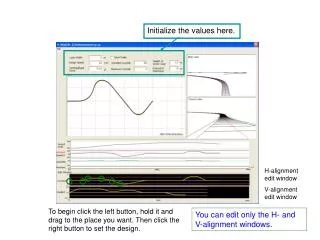
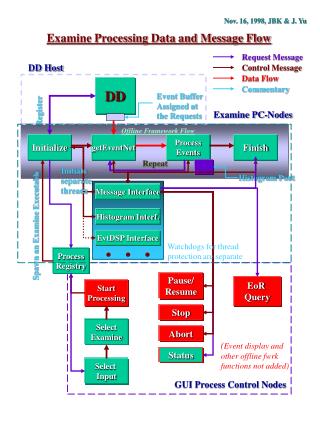
This document details the examination of processing data within histogram interfaces, specifically focusing on message flow and event handling protocols established in November 1998 by JBK and J. Yu. It outlines the control mechanisms for message data flow, commentary on event buffering, and the implementation of processes for managing PC nodes. Key aspects include initiating separate threads for event processing, ensuring thread protection through watchdogs, and utilizing a GUI for process control and status selection. Important considerations for pausing, resuming, and aborting event processing are also discussed.

Analyzing Data Flow and Message Processing in Histogram Interfaces
E N D
Presentation Transcript
Message Interface Histogram Interf. EvtDSP Interface Nov. 16, 1998, JBK & J. Yu Examine Processing Data and Message Flow Request Message DD Host Control Message Data Flow DD Commentary Event Buffer Assigned at the Requests Register Examine PC-Nodes Offline Framework Flow Initialize getEventNet Process Events Finish Repeat Initiate separate threads Histogram Port. . . . Spawn an Examine Executable Watchdogs for thread protection are separate Process Registry Pause/ Resume EoR Query Start Processing Stop Select Examine Abort (Event display and other offline fwrk functions not added) Status Select Input GUI Process Control Nodes