Digital Photography
280 likes | 398 Vues
Dive into the world of digital photography with our in-depth guide! Learn the key differences between film and digital cameras, discover essential controls, and master close-up macro shots. Understand the importance of zoom, flash techniques, and how to compose stunning photographs using the Rule of Thirds. We'll guide you through downloading and storing photos on various devices, plus how to fix common issues with powerful editing software. Elevate your photography skills and create captivating collages with our tips and tricks!


Digital Photography
E N D
Presentation Transcript
Digital Photography Intro to Digital Cameras Close-up Macro Flash Taking Good Photos Downloading & Storing Fixing Photos Collage
Differences between film and digital: • Images erasable and editable in the camera • WYSWYG: What You See Is What You Get • Retakes immediately available if needed • Print and keep only those images you truly want
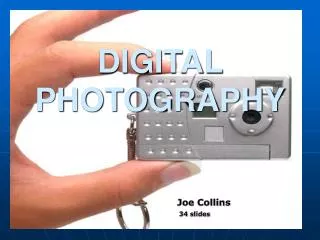
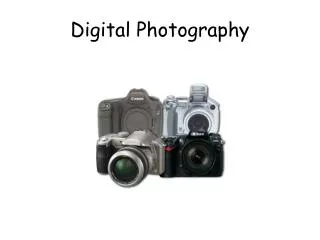
Basic Digital Camera Controls • Power • Shutter Release • LCD Screen/Viewfinder • Mode Dial: Still, Movies, Playback, Setup, Etc. • Jog Dial: Navigating and Selecting various camera function menus
Batteries • AA • Lithium
Memory System • Resolution • VGA • 4MP • Floppies • CD’s • Memory Cards: Memory Stick, SD, etc. • More is better • Some computers have slots for downloading
Zoom • Zoom lens vs. SLR exchangeable style • To zoom or not to zoom: that is the question. • You can zoom in more. • You have more picture to work with. • Better quality picture (not as blurry).
Macro Mode • Coins • Jewelry • Insects • Documents • Flowers
Allows: • A bit more depth of field • Making sharper focus on nearby objects in the picture.
Built in Flash • Default: flash works automatically only when needed.
Sometimes you don’t want flash • Art museum
Sometimes you want to force the flash • To fill in a dark face in the foreground that has a brightly lit background or light source.
Rule of Thirds • Mentally divide the area of the picture into thirds • Two vertical lines • Two horizontal lines • Compose your picture around the nine areas and four intersections
Rule of Thirds • Tutorial with Mike Brown: • 3 minutes
Simplification • Decide what in the picture you want to be the main point of interest • Take out distracting details • Remove or suppress everything that would compete for attention with the point of interest
Simplification • Attention catchers (eye-catchers) • Eyes • Faces • Human form • Animals • Light colored objects against dark background • Warm colored objects against cool colored backgrounds • Objects with strong contrast
Downloading Photos • Move pictures from camera to computer • Memory card • Camera cord (USB)
Storing Photos • Computer • Network folder • Memory card • Flash drive • CD
Serif PhotoPlus • Available here at school • Powerful program • Fixes red-eye easily • Example picture
Picasa • Free download • Can be used at home
Collage • Choose from the following programs • Word • Publisher • PagePlus
Collage • 5-10 pictures • Rule of Thirds • Macro • Flash