PowerPoint Layout Adjustment Instructions for ECST TV Screens
10 likes | 130 Vues
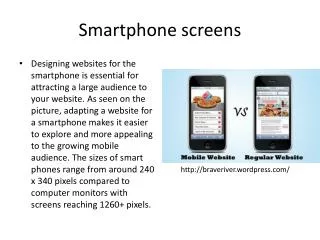
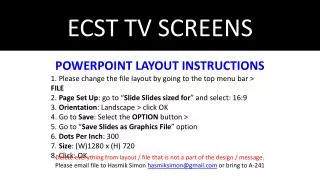
Follow these steps to change the PowerPoint layout for ECST TV screens effectively. Start by navigating to the top menu bar and selecting 'File'. Proceed to 'Page Setup' and choose 'Slides sized for 16:9' in landscape orientation. Click 'OK' to apply changes. In the 'Save' options, select 'Save Slides as Graphics File' with 300 DPI. Set the size to (W) 1280 x (H) 720, and click 'OK'. Ensure all unnecessary elements are removed from the layout. Finally, email the file to Hasmik Simon at hasmiksimon@gmail.com or deliver a physical copy to A-241.


PowerPoint Layout Adjustment Instructions for ECST TV Screens
E N D
Presentation Transcript
ECST TV SCREENS POWERPOINT LAYOUT INSTRUCTIONS 1. Please change the file layout by going to the top menu bar > FILE2. Page Set Up: go to “Slide Slides sized for” and select: 16:9 3. Orientation: Landscape > click OK4. Go to Save: Select the OPTION button > 5. Go to “Save Slides as Graphics File” option6. Dots Per Inch: 3007. Size: (W)1280 x (H) 7208. Click: OK Delete everything from layout / file that is not a part of the design / message. Please email file to Hasmik Simon hasmiksimon@gmail.com or bring to A-241