The SeETL RunTime Utilities Presentation
The SeETL RunTime Utilities Presentation. www.InstantBI.com. 1/1/2012. Introduction. Why Have Data Warehousing Utilities? What Utilities are available? How are the Utilities developed? What platforms are supported? What support is available for free? Summary. Why Have DW Utilities?.

The SeETL RunTime Utilities Presentation
E N D
Presentation Transcript
The SeETL RunTimeUtilities Presentation www.InstantBI.com 1/1/2012
Introduction • Why Have Data Warehousing Utilities? • What Utilities are available? • How are the Utilities developed? • What platforms are supported? • What support is available for free? • Summary
Why Have DW Utilities? • Many tasks on BI projects are the same across projects • Utilities make these same tasks faster, cheaper, more reliable • Utilities save time, effort any money while also reducing risk • Beware BI consultants who do not have a ‘kit bag’ of utilities. These are ‘tools of the trade’
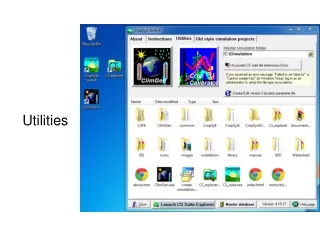
What Utilities are Available? • The current suite are as follows: • The Data Transfer Utility. • The Batch Maintenance Utility • The SQL Statement Processor Utility. • The SQL Server 2000 DDL Generator Utility. • The Oracle 9 DDL Generator Utility. • The Delimiter Separate Values Reformat Utility. • The Fixed File Format Reformat Utility. • The Generate Delta File Utility. • The Batch Processing Scheduling Utility. • The Process Group Manager Utility. • The DataStage Job Submission Utility. • The DataStage Job Submission Utility – With Parameters. • Load Dimension Tables into Memory Maps Utility. • MetaData Checking Utility. • MetaData Printing Utility. • MetaData Loading Utility.
What Utilities are Available? • The current suite are as follows: • Correct and Reformat Data Utility. • Sleep for BatchSleepSeconds Utility. • Reformat simple XML Documents Utility. • Delete specific rows Utility. • Perform Bulk Load on SQL Server Utility. • Start a Process in the Schedule from the DOS Box. • High Availablility Batch Processing Scheduling Utility • Execute SQL read from inside Database Utility
How are Utilities Developed? • Directly from experience • Many of them were developed over the years from direct need on project work • From direct customer requests • The delta generation utility, scheduler and datastage job submission utilities were all developed from direct requests from IBI clients • If you want more utilities developed contact us • We may have other clients who want the same thing • Increasing value of utilities increases value to all IBI clients
What Platforms are Supported? • The SeETL Utilities run on all platforms supported by SeETL Runtime. • Currently these are: • Win2000+ • Oracle9+, SQL Server 2000+, Sybase ASE 12+, Sybase IQ12+, DB2UDB 8+ • AIX 5.1+ (64 bit), Solaris 9.0+ (64 bit) • Oracle 9+ (using Easysoft for Oracle) • Sybase IQ 12+
What Free Support is Available? • The Utilities are only free on win2000+ • Support includes • Extensive User Guide (Part of SeETL User Guide) • Downloadable source code for programs • Classes are not available to download • Active User Groups on our web site • For AIX/Solaris/Linux support the SeETL must be licensed as the source code must be provided
Summary • Why Have Data Warehousing Utilities? • What Utilities are available? • How are the Utilities developed? • What platforms are supported? • What support is available for free? • Summary