Express Your Views: Parent Feedback on Aston Manor Academy
Parent View by Ofsted allows parents to share opinions on Aston Manor Academy to help evaluate its performance. Follow the steps to register your views and contribute to the school's improvement. Your feedback matters!


Express Your Views: Parent Feedback on Aston Manor Academy
E N D
Presentation Transcript
Parent View Ofsted Survey
What is Parent View • Parent view is a website setup by Ofsted to get parents opinions about their child's school • It is important that Ofsted gets a complete view of how a school works and its perception in the community to fairly judge its performance. • The website address is: http://parentview.ofsted.gov.uk/
Or • Go to the school website under parents and click on the link titled Parent View
Step 1 • Go to the website and click on the orange jigsaw piece saying ‘give your views now’
Step 2 • Click on the register now link to sign up
Step 3 • Type in a valid and correct email address you have access to and fill in the rest of the form.
Step 4 • Check your email inbox to access the survey.
Step 5 • This is what the email will look like. Copy your temporary password and click this link.
Step 6 • Change your password to something you’ll remember and click save. • Then click here to start the survey
Step 7 • Search for Aston Manor Academy in the box and click search.
Step 8 • Select Aston Manor Academy from the list
Step 9 • This will be your next screen
Step 10 • To give your view about Aston Manor Academy select the answer yes and tick both boxes that appear before clicking on continue.
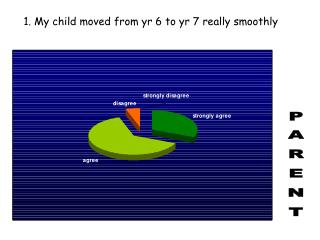
Step 11 • There will now be 11 questions which are multiple choice questions where the options are: Strongly agree, Agree, Disagree, Strongly Disagree, Don't Know
Step 12 • The last question will ask if you would recommend Aston Manor Academy to another parent. • This is a yes/no question • Then click to confirm you are a parent and click finish the survey. Thank you