How to Create and Share a Google Doc: A Step-by-Step Guide
Learn how to create and share your first Google Doc with this easy-to-follow guide by Brent Catlett and Ann Feldmann. Sign into your Gmail account, navigate to Google Docs, and create a new document. Rename it with your first and last name, then share it with your teachers by adding their email addresses. This straightforward process ensures you can collaborate and receive feedback from your teachers on your work. Perfect for first-time users wanting to master Google Docs!

How to Create and Share a Google Doc: A Step-by-Step Guide
E N D
Presentation Transcript
How to Create a Google Doc By Brent Catlett and Ann Feldmann
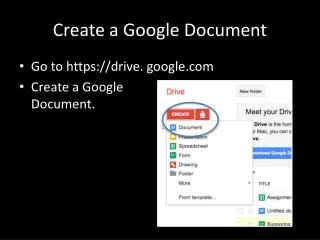
Sign into your gmail account. Go to docs.google.com or click on the Documents link on your Gmail account page.
Once your document is created, change the name of it to your name (first and last) by clicking where it says “Untitled document”
Then simply rename the document. Remember to put your first and last name. Then click OK.
Now that you have your name on the Document, click on the share button.
Once you have clicked the share button you will get this box. Click in the bar under “Add people”
Add mrsfeldmann@gmail.com and brent.catlett1@gmail.com to the document and click the “Share” button.
Congratulations! • You are all done and have successfully shared your 1st ever Google Doc!! • Look back at the Doc again soon for comments on your Doc from your teachers.