Guidelines for Poster Presentation at Nationwide Children’s Hospital
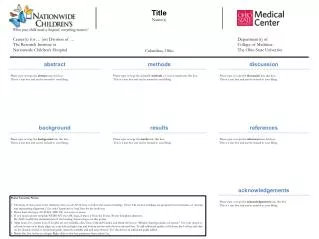
This document outlines the essential guidelines for creating a poster presentation at the Nationwide Children’s Hospital. It emphasizes the importance of maintaining the designated margin around logos, using appropriate fonts like Garamond or Arial for the body text, and adhering to the specified section headings for clarity. Various sections, including abstract, methods, discussion, background, results, and references, are provided for researchers to input their findings. Additionally, presentation notes on the alignment and configuration of the poster elements are included to ensure a professional layout.

Guidelines for Poster Presentation at Nationwide Children’s Hospital
E N D
Presentation Transcript
This “blue box” represents the margin that MUST be maintained around the logos at all times. Center(s) for … (or) Division of … The Research Institute at Nationwide Children’s Hospital Columbus, Ohio Department(s) of College of Medicine The Ohio State University abstract methods discussion Please type or copy the abstract into this box. This is a text box and can be resized to your liking. Please type or copy the scientific methods of your research into this box. This is a text box and can be resized to your liking. Please type or copy the discussion into this box. This is a text box and can be resized to your liking. TitleName(s) background results references Please type or copy the background into this box. This is a text box and can be resized to your liking. Please type or copy the results into this box. This is a text box and can be resized to your liking. Please type or copy the references into this box. This is a text box and can be resized to your liking. acknowledgements • Poster Creation Notes: • The body of this poster is for reference only; you do NOT have to follow the section headings. (Note: The section headings are grouped for convenience of moving and maintaining alignment.) Use only Garamond or Arial font for the body text. • Please leave the logos AS THEY ARE. Do not move or resize. • If you need a poster template WITHOUT the OSU logo, retrieve it from the Forms/Poster Templates directory. Do NOT modify the characteristics of the heading/banner/logos on this poster. • Align boxes for a better look; if Guides are not available, click View, Grid and Guides, and check the box to “Display drawings guides on screen.” Use your mouse to relocate boxes, or to finely align, use your left and right/top and bottom arrows with the box selected first. To add additional guides, hold down the Ctrl key and click on the desired vertical or horizontal guide currently available and pull away from it. You should see an additional guide added. • Delete this box before you begin: Right click on this box perimeter lines; select Cut. Please type or copy the acknowledgements into this box. This is a text box and can be resized to your liking.

![[name, title]](https://cdn0.slideserve.com/676606/slide1-dt.jpg)