Public-key Infrastructure
This guide explores the fundamentals of public-key infrastructure (PKI) and cryptosystems, focusing on both symmetric and asymmetric methods, including RSA. It covers key pairs, digital certificates, and the role of Certificate Authorities (CAs) in issuing and managing certificates. The document provides detailed explanations of encryption and decryption processes, SSL/TLS protocols, and the importance of secure communication. Additionally, the implications of costs associated with certificates and challenges related to virtual servers and SNI are discussed, ensuring a holistic understanding of the cryptographic landscape.

Public-key Infrastructure
E N D
Presentation Transcript
Cryptosystems • Cryptosystems • Symmetric • Asymmetric (public-key) • RSA • Public key: n=3233, e=17 • Private key: d=2753 • Let m=65 • Encryption: c = 6517 (mod 3233) = 2790 • Decryption: m = 27902753 (mod 3233) = 65
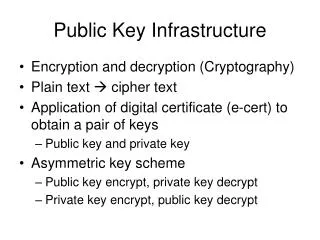
Public-key Infrastructure • Each person has his own public-private key pair • PKI is • a set of hardware, software, people, policies, and procedures • to create, manage, distribute, use, store, and revoke digital certificates • Then, we can do • Encryption • Authentication • Digital signature • Bootstrapping secure communication protocols
Certificate – (1) CA X: (3) Generate Sig(Xpriv, Alice, Apub, T) • Alice: • Generate • Apub, Apriv (2) Alice, Apub, ID proof (4) Sig(Xpriv, Alice, Apub, T) CertA,X=[Alice, Apub, Sig(Xpriv, Alice, Apub, T)] Note: CA does not know Apriv
Certificate – (2) • Also called • Network Identity • A certificate is issued by a CA X • A certificate of a user A consists: • The name of the issuer CA X • His/her public key Apub • The signature Sig(Xpriv, A, Apub, T) by the CA X • The expiration date • Applications • Encryption / Signature • …
Root CA • Root CA (最高層認證中心) • In Micro$oft:「根目錄授權憑證」 • Root CA do not sign the certificates for users • Authorize CA to sign the certificates for users, instead. • Root CA signs for itself. • It is in the sky. • To trust Root CA • Install the certificate of Root CA via the secure channel
Certificate and CA • Certificate Authority (CA) • “憑證授權” in Windows CHT version • In X.509, it is itself a certificate • The data of CA • To sign certificates for others • Each CA contains a signature of Root CA. • To verify the validity of a certificate, check • the signature of Root CA in the certificate of CA • the signature of CA in this certificate
The Cost of Certificate • Tree structure of CA • Cost of certificate • VeriSign : NT $18,000 / per year / per host • Myself : NT $0
Secure communication protocols • Security of transmitting DATA • Transmit session key first • Public-key cryptosystem • Transmit DATA by session key • Symmetric-key cryptosystem • Reference: http://www.imacat.idv.tw/tech/sslcerts.html
SSL/TLS • SSL/TLS • Provide communication security over the Internet • Prevent eavesdropping and tampering • Encrypt the segments over Transport Layer
History – (1) • SSL – developed by Netscape • SSL 1.0: never publicly released • SSL 2.0: released in 1995 • A number of security flaws • SSL 3.0: released in 1996 • A complete redesign • Newer versions of SSL/TLS are based on SSL 3.0 • TLS – IETF RFC • TLS 1.0(SSL 3.1): RFC 2246 in 1999. • Backward compatible to SSL 3.0 • CBC vulnerability discovered in 2002
History – (2) • TLS – IETF RFC • TLS 1.1(SSL 3.2): RFC 4346 in 2006 • Prevent CBC attacks • TLS 1.2(SSL 3.3): RFC 5246 in 2008 • Enhance security strength • Introduce new cryptographic algorithms
SSL/TLS Negotiation • (C) Request a secure connection, and present a list of supported ciphers and hash functions • (S) Select common cipher and hash function, and send back with server’s digital certificate • (C) Confirm the validity of the certificate • (C) Encrypt a random number with server’s public key, and send it to server • (C/S) Generate session key(s) from the random number
SSL/TLS Applications • Implemented on top of Transport Layer prototols • TCP • UDP(DTLS) • Protect application-specific protocols • HTTP, FTP, SMTP, NNTP, … • VPN(OpenVPN), SIP, VoIP • Activate SSL/TLS connection • Use a different port number (https/433, smtps/465) • Use a protocol specific mechanism (STARTTLS)
Support for Named-based Virtual Servers • All virtual servers belong to the same domain • Wildcard certificate • Add all virtual host names in subjectAltName • Disadvantages • Certificate needs reissuing whenever adding a new virtual server • Cannot support named-based virtual hosts for web service • Server Name Indication (SNI) • RFC 4366 • http://wiki.apache.org/httpd/NameBasedSSLVHostsWithSNI • The client browser must also support SNI
OpenSSL • http://www.openssl.org/ • In system • /usr/src/crypto/openssl • In ports • security/openssl
ports/Mk/bsd.openssl.mk # WITH_OPENSSL_BASE=yes - Use the version in the base system. # WITH_OPENSSL_PORT=yes - Use the port, even if base is up to date # WITH_OPENSSL_BETA=yes - Use a snapshot of recent openssl # WITH_OPENSSL_STABLE=yes - Use an older openssl version …… # if no preference was set, check for an installed base version # but give an installed port preference over it. .if !defined(WITH_OPENSSL_BASE) && \ !defined(WITH_OPENSSL_BETA) && \ !defined(WITH_OPENSSL_PORT) && \ !defined(WITH_OPENSSL_STABLE) && \ !exists(${DESTDIR}/${LOCALBASE}/lib/libcrypto.so) && \ exists(${DESTDIR}/usr/include/openssl/opensslv.h) WITH_OPENSSL_BASE=yes .endif
Flow • Flow • Generate random seed • Generate RootCA • Generate private key of RootCA • Fill the Request of Certificate. • Sign the certificate itself. • Generate certificate of Web Server • Generate private key of Web Server • Fill the Request of certificate • Sign the certificate using RootCA • Modify apache configuration restart apache
Generate random seed • Generate num pseudo-random bytes • % openssl rand -out rnd-filenum • Protect the psuedo-random file • % chmod go-rwx rnd-file
Generate private key of RootCA • Generate public-private key pairs • % openssl genrsa -des3 -rand rnd-file -out rootca-key-filenum Note: phrase are asked (something like password) • Protect the private key • % chmod go-rwx rootca-key-file
Fill the Request of Certificate • Generate the request of certificate • % openssl req -new -key rootca-key-file -out rootca-req-file Enter pass phrase for rootca-key-file: Country Name (2 letter code) [AU]:TW State or Province Name (full name) [Some-State]:Taiwan Locality Name (eg, city) []:HsinChu Organization Name (eg, company) [Internet Widgits Pty Ltd]:NCTU Organizational Unit Name (eg, section) []:CS Common Name (eg, YOUR name) []:nasa.cs.nctu.edu.tw Email Address []:liuyh@cs.nctu.edu.tw A challenge password []: (No need,Enter please) An optional company name []: (Enter please)
Sign the certificate itself • Sign the certificate of RootCA • % openssl x509 -req -days num -sha1 -extfile path_of_openssl.cnf -extensions v3_ca -signkey rootca-key-file -in rootca-req-file -out rootca-crt-file • Delete the request file (Optional) • % rm -f rootca-req-file
Generate private key of Web Server • Generate the public-private key pair • % openssl genrsa -out host-key-filenum • Protect the private key • % chmod go-rwx host-key-file
Fill the Request of Certificate • Generate the request of certificate • % openssl req -new -key host-key-file -out host-req-file
Sign the certificate using RootCA • Tramsmit host-req-file to Root CA • Sing the certificate by RootCA • % openssl x509 -req -days num -sha1 -extfile path_of_openssl.cnf -extensions v3_ca -CA rootca-crt-file -CAkey rootca-key-file -CAserial rootca-srl-file -CAcreateserial -in host-req-file -out host-crt-file • Remove the request file in RootCA and Web Server • Transmit host-crt-file back to Web Server
Certificate Authority • Include etc/apache22/extra/httpd-ssl.conf ## ## SSL Virtual Host Context ## <VirtualHost _default_:443> # General setup for the virtual host DocumentRoot /home/wwwadm/data <Directory “/home/wwwadm/data"> Options Indexes FollowSymLinks AllowOverride All Order allow,deny Allow from all </Directory> ServerName nasa.cs.nctu.edu.tw:443 ServerAdmin liuyh@nasa.cs.nctu.edu.tw ErrorLog /var/log/httpd/nasa.cs-error.log CustomLog /var/log/httpd/nasa.cs-access.log common SSLEngine on SSLCipherSuite ALL:!ADH:!EXPORT56:RC4+RSA:+HIGH:+MEDIUM:+LOW:!SSLv2:+EXP:+eNULL SSLCertificateFile /etc/ssl/nasa/nasa.crt.pem SSLCertificateKeyFile /etc/ssl/nasa/private/nasa.key.pem
View the content of Certificate – (1) • % vim host-crt-file -----BEGIN CERTIFICATE----- MIIE0DCCA7igAwIBAgIJAL5UBzbv+hl1MA0GCSqGSIb3DQEBBQUAMIGgMQswCQYD VQQGEwJUVzEPMA0GA1UECBMGVGFpd2FuMRAwDgYDVQQHEwdIc2luQ2h1MQ0wCwYD VQQKEwROQ1RVMQswCQYDVQQLEwJBTTEiMCAGA1UEAxMZZXZpbGJpZzUubWF0aC5u …… 9xMw8qMBHnxUVHOUVbECAwEAAaOCAQkwggEFMB0GA1UdDgQWBBR958Azmc9N7gbm kFLgfOpw+9RW9TCB1QYDVR0jBIHNMIHKgBR958Azmc9N7gbmkFLgfOpw+9RW9aGB pqSBozCBoDELMAkGA1UEBhMCVFcxDzANBgNVBAgTBlRhaXdhbjEQMA4GA1UEBxMH SHNpbkNodTENMAsGA1UEChMETkNUVTELMAkGA1UECxMCQU0xIjAgBgNVBAMTGWV2 aWxiaWc1Lm1hdGgubmN0dS5lZHUudHcxLjAsBgkqhkiG9w0BCQEWH3JhbmR5QGV2 aWxiaWc1Lm1hdGgubmN0dS5lZHUudHeCCQC+VAc27/oZdTAMBgNVHRMEBTADAQH/ MA0GCSqGSIb3DQEBBQUAA4IBAQCLkNba9LSpCTOh7Ws3h18WSKQXVxnLHxWUepC8 ZG3Q/dT++L54EiyBLmXwnr67gfUPhN1Qb/v1ixThlNBIjIrOZvEiyqjrmrQBABpt x0+APW8TAdYfslQvGfhDptNeKWoYc7fxlxw3TXwQf2JhL+a10m2ZeEMSg1iuIyqg +Dq3jGCb3R66NoKo/ToO5J6CAnkG7spYiDNukkvoEPNKaqXMC3K6pOzBDQwWBpH7 pCE9dEqbmHvUb+hwvI2OTJAKcM0G1wBmFF7au1G9e6O9hj34voppLdfVz5+mu5ai ELgGQXpVrFPSzZG0PyAr5rxtOI8E7yl7jl2pu7yXk9jgsiWl -----END CERTIFICATE-----
View the content of Certificate – (2) • % openssl x509 -text -in host-crt-file Certificate: Data: ...... Signature Algorithm: sha1WithRSAEncryption Issuer: C=TW, ST=Taiwan, L=HsinChu, O=NCTU, OU=CS, CN=../emailAddress=.. Validity ... Subject: C=TW, ST=Taiwan, L=HsinChu, O=NCTU, OU=CS, CN=../emailAddress=. Subject Public Key Info: Public Key Algorithm: rsaEncryption RSA Public Key: (2048 bit) Modulus (2048 bit): ...... Exponent: 65537 (0x10001) X509v3 extensions: ...... Signature Algorithm: sha1WithRSAEncryption 8b:90:d6:da:f4:b4:a9:09:33:a1:ed:6b:37:87:5f:16:48:a4: ...... e0:b2:25:a5 -----BEGIN CERTIFICATE----- MIIE0DCCA7igAwIBAgIJAL5UBzbv+hl1MA0GCSqGSIb3DQEBBQUAMIGgMQswCQYD ...... ELgGQXpVrFPSzZG0PyAr5rxtOI8E7yl7jl2pu7yXk9jgsiWl -----END CERTIFICATE-----
PGP – Pretty Good Privacy • security/gnupg • GNU’s Privacy Guard • Public-key system • Encryption • Signature • Use with mutt • http://www.gnupg.org/documentation/howtos.html#Mutt-GnuPG • http://wiki.mutt.org/?MuttGuide/UseGPG • Ref: http://security.nknu.edu.tw/textbook/chap15.pdf