Enhancing Statistical Analysis with Literate Programming Techniques
This presentation introduces literate programming as a method of integrating text, code, and results within a single document. It focuses on the StatWeave tool, which supports various text formats (LaTeX, OpenOffice) and programming languages (SAS, R, Maple, and more). By combining these elements, StatWeave facilitates reproducible statistical analyses, allowing users to create comprehensive documents that clearly communicate methodologies and results. Key features include weaving and tangling processes, code chunk reuse, and support for multiple programming languages.

Enhancing Statistical Analysis with Literate Programming Techniques
E N D
Presentation Transcript
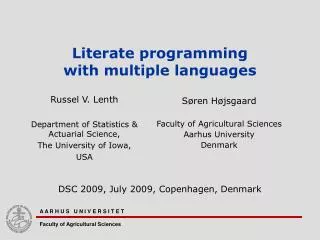
Literate programming with multiple languages Søren Højsgaard Faculty of Agricultural Sciences Aarhus University Denmark Russel V. Lenth Department of Statistics & Actuarial Science, The University of Iowa, USA DSC 2009, July 2009, Copenhagen, Denmark A A R H U S U N I V E R S I T E T Faculty of Agricultural Sciences
Take-home message • Literate programming: Combining text, code and results in one document • StatWeave does this • Supports text formats: • LaTeX / OpenOffice (OpenDocument Text) • In combination with one or several of the ’engines’ • SAS, R, S-plus, Maple, Stata, Matlab, shell… • StatWeave is • ”Sweave for generalized values of LaTeX and S” • Jave based and hence portable • A great help in creating reproducible statistical analyses • Extensible: Add languages
Source document Writing SAS statements More writing R statements Even more writing More SAS statements More writing… Final document Writing SAS statements SAS output SAS graphics More writing R statements R output Even more writing SAS statements SAS output More writing… Overview – Combining code, documentation and results
What is literate programming • Term coined by Knuth (1979): • Create software as works of literature: • Embed source code into descriptive text (rather than the opposite) • Software should follow flow of thoughts and logic • Should be designed to be readable by humans (and not only by compilers / programs). • Some systems for literate programming (in statistics) • Sweave (Lesich 2002) • R code in LaTeX documents • odfWeave (Kuhn and Coulter 2007) • R code in OpenOffice documents • SASweave (Lenth and Højsgaard 2007) • SAS / R code in LaTeX documents • StatWeave • SAS / R / maple / S-plus / Stata / Matlab / shell… code in LaTeX and OpenOffice documents
Why literate programming? • Reproducible statistical analysis • Research, consulting • Document exactly what has been done • Possible to re-run if data change • Maintain one document only (at least in principle) • Manuals, course notes etc. • Shown output guaranteed to be result of shown code
StatWeave • StatWeave created by Russ Lenth, University of Iowa, USA • Available: http://www.cs.uiowa.edu/~rlenth/StatWeave/ • StatWeave is in its making, but becomming ”mature” and stable. • Source file is regular text document but with code chunks added (with special tags) • Two basic operations • Weaving: Process source file into single document with code listings, output listings, graphs… • Tangling: Extract code from source file to run later • Weaving is useful for reproducible statistical analysis
Running StatWeave • Command-line interface:statweave SAS-HelloWorld-swv.odt statweave --tangle SAS-HelloWorld-swv.odtstatweave --keepall SAS-HelloWorld-swv.odt • Graphical User Interface:
Example: SAS + ODT • Set global options (for SAS code) • Inline evaluation of expressions
Example: SAS + ODT • Output can be saved for later use • - and display
Code reuse and argument substitution • Save code chunks for later execution • Pass arguments to code chunks • Simplest case: Not unlike a macro…
Example: SAS + ODT - code reuse and argument substitution • Costumize display and output (tables) by reusable code chunk
Example: Multiple languages - SAS, R and DOS together • Can use different engines in the same source file • Use SAS when appropriate; use R when appropriate; use Maple when appropriate… • Weaving: • SAS/R/XX chunks assembled into separate code files. • Code files are processed in order of first appearence in the source file
Example: Multiple languages • Synchronization issue: SAS chunk depends on data from R chunk which depends on data from SAS chunk…. • Solution: The restart option will restart the engines
Example: Maple + ODT • Differentiate y= sin(x) xxx • Output is ugly, but it reads:
Odds and ends – calling the shell • Want to list all StatWeave / Open office source files: *-swv.odt
Code chunks are processed as a whole • Code chunks are processed as a ”unit” so in general one can not split a call to proc xxxx over several chunks: • Thus the following is illegal
Summary • Reproducible statistical analyses • Integrate text, code and results in one document • Several text formats • Several languages • This talk (and the examples) available at http://genetics.agrsci.dk/~sorenh/misc/ • All credit is due to Russ Lenth, the creator of StatWeave. Thanks!!!!