Social Software, Teens, and Libraries
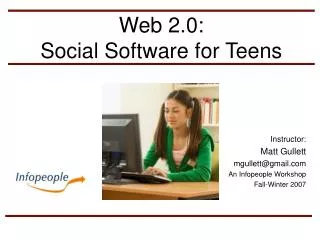
This presentation explores the impact of social software on teens and its significance for libraries. By defining social software and showcasing popular examples such as blogs, wikis, and social networking services, the session highlights the internet use habits and preferences of Millennials. We delve into essential statistics, the benefits of social software for critical thinking and collaboration, and strategies for libraries to engage the teen demographic effectively. As libraries evolve, understanding and incorporating social software becomes vital for remaining relevant in a digital age.

Social Software, Teens, and Libraries
E N D
Presentation Transcript
Social Software, Teens, and Libraries Cheryl Becker & Shawn Brommer South Central Library System WAPL, May 2007
Today’s Agenda • Definitions and examples • Statistics/Millennials • Benefits • Safety
What is social software? • Social software enables people to rendezvous, connect or collaborate through computer-mediated communication and to form online communities.(from Wikipedia) • “Web 2.0”
Some Examples of Social Software: • Blogs / RSS • Wikis • Instant Messaging (IM) • Media sharing • Social Networking Services • Social Bookmarking • Social Cataloging • Virtual worlds and multiplayer online games
Blog • Short for “web log.” • User-generated website with entries in journal format. • Owner posts commentary, allowing others to comment. • Creates online discussion forum. • RSS (Really Simple Syndication) • Allows users to subscribe to blogs.
Wiki • Collaborative resource creation • Allows users to add, edit, remove content • Examples • Wikipedia • Library Success • Citizendium
Instant Messaging • “IM” • Immediate, real-time chat (text) • Instantaneous • Point of need • AOL, MSN, Yahoo
Media Sharing • Organize, store, tag, share • Groups • Examples: • Flickr (photos) • SmugMug (photos) • YouTube (videos)
Social Networking Services • Places to meet and communicate • Shared interests or causes • Combines IM, blog, photo sharing, “Friending” • Examples: • MySpace • Facebook • Friendster
Social Bookmarking • Putting bookmarks of your favorite websites in a web directory to share with others. • Or yourself! • Examples: • del.icio.us • Furl • Blue Dot
Social Cataloging • Allow users to tag items • Share catalogs with others • Interact with others based upon shared items • (How very “library like”!) • “MySpace for books” • Example: LibraryThing
“Virtual Worlds” • Massively-Multiplayer Online Games (MMOGs) • Online places to meet and interact with other people/avatars in a virtual world (which looks somewhat like reality). • Examples: • Second Life • Runescape • Club Penguin
Teens, Internet Use & Social Networking • Teen brain development • Millennials • Information seeking habits of teens • Some statistics • Benefits • What does this mean for libraries?
Teen Brain Development • Hormones vs. Brains! • Social development • Risk taking • Emotional response
Millennials (1982 – 2000) • Larger than the Baby Boom generation • 36% of the U.S. population. • 31% of this population are from diverse cultures —Millennials Rising: The Next Great Generation, Neil Howe & Bill Strauss
Distinct qualities of Millennials • They are special • They are sheltered • They are confident • They are team-oriented • They are achieving • They are pressured • They are conventional Millennials Rising: The Next Great Generation, Neil Howe & Bill Strauss
Millennials: Deal With Them! • Digital Natives • Multi-taskers • Delay choices = Need info now • Social = Large network of friends • Games • Reading doesn’t necessarily mean books • Diverse learning styles —Stephen Abram
Teens & Technology • 87% of American teens use the Internet on a regular basis. • 1 out of 2 teens lives in a home with a broadband connection. • Their world is wired: 83% say most of the people they know use the internet —Teens & Technology, PEW Internet & Life Project
How are they using the Internet? • 81% are playing games (over 17 million) • 76% are getting news (over 16 million) • 43% are making purchases (9 million) • 31% are seeking health information (6 million) • Use email, but prefer IM (75% of teens use IM) —Teens & Technology (PEW Internet & Life Project)
Where are they when they go online? • 89% - home • 75% - school • 70% - a friend or relative’s house • 50% - the library • 9% - a community center or house of worship —Web 2.0 and What it Means to Libraries (PEW Internet & Life Project)
Source: Perceptions of Libraries and Information Resources, OCLC, 2005, question 1207.
Social software for kids in libraries because. . . • They live their lives online • They get their information from the Internet • They socialize online • They expect it
Additionally. . . • They are future tax-payers and future library supporters. • This is the way teens seek, share and recommend information • We want libraries to remain relevant • . . . Not to mention, there are benefits of social software!
Benefits of social software • Critical thinking • Reading and writing skills • Collaboration • Communicating with authors, experts, etc.—Social and cultural competence • Boundaries and expectations
Benefits (2) • Communication between those with special interests • Equalizing • Appearance, status, disabilities • Gaming: “Subversive Learning” • Learn skills • Form coalitions • Decision making • “Virtual malt shop”
Benefits (3) • See the YALSA articles (bibliography) • Social Networking and DOPA • Teens & Social Networking in School & Public Libraries
Libraries are using social software to: • Support informational, educational, entertainment needs • Attract and serve new users • Be where our users are—online • Satisfy user expectations for online service
Library Examples (“Library 2.0”)
MySpace at the Public Library of Charlotte & Mecklenburg County (The Loft)