Explore Minitab Web Version for Enhanced Analytics
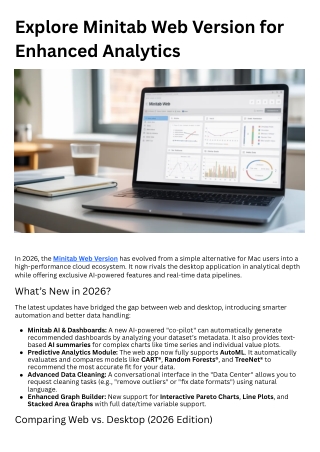
<br>In 2026, the Minitab Web Version has evolved from a simple alternative for Mac users into a high-performance cloud ecosystem. It now rivals the desktop application in analytical depth while offering exclusive AI-powered features and real-time data pipelines.

Explore Minitab Web Version for Enhanced Analytics
E N D
Presentation Transcript
Explore Minitab Web Version for Enhanced Analytics In 2026, the Minitab Web Version has evolved from a simple alternative for Mac users into a high-performance cloud ecosystem. It now rivals the desktop application in analytical depth while offering exclusive AI-powered features and real-time data pipelines. What’s New in 2026? The latest updates have bridged the gap between web and desktop, introducing smarter automation and better data handling: Minitab AI & Dashboards: A new AI-powered "co-pilot" can automatically generate recommended dashboards by analyzing your dataset’s metadata. It also provides text- based AI summaries for complex charts like time series and individual value plots. Predictive Analytics Module: The web app now fully supports AutoML. It automatically evaluates and compares models like CART®, Random Forests®, and TreeNet® to recommend the most accurate fit for your data. Advanced Data Cleaning: A conversational interface in the "Data Center" allows you to request cleaning tasks (e.g., "remove outliers" or "fix date formats") using natural language. Enhanced Graph Builder: New support for Interactive Pareto Charts, Line Plots, and Stacked Area Graphs with full date/time variable support. Comparing Web vs. Desktop (2026 Edition)
While the web version is more flexible, the Windows desktop app still holds an edge for specific power-user tasks. Feature Minitab Web Version Minitab Desktop (Windows) Primary Advantage Anywhere access & AI Co- pilot Offline power & custom scripting Platform Mac, Windows, Chromebook, iPad Windows Only Data Connection Minitab Connect (Real- time) ODBC Database Queries Automation AI-driven insights Python, R, and .mtw Macros Collaboration Real-time shared "Brainstorm" files Local file sharing Large Data Sets Browser-dependent performance High-speed local processing The "Connect" Integration The biggest shift for 2026 is the seamless link with Minitab Connect. Unlike the desktop version, the web app allows you to: 1. Pull data directly from cloud sources (SQL, Salesforce, etc.) via Connect. 2. Perform your analysis in the web app. 3. Publish that analysis back to a live Connect dashboard that updates automatically whenever the source data changes.