Download
1 / 14
0 likes | 0 Vues
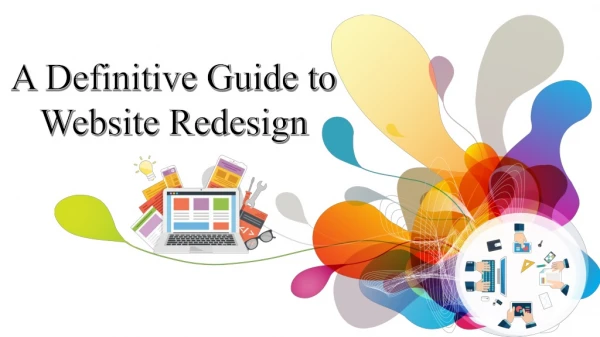
A successful website redesign starts with the right strategy. <br>From defining goals and improving speed to enhancing security and SEO, our checklist ensures nothing gets missed. <br><br>Read the PDF to know more useful insights!!

E N D
RIPENAPPS TECHNOLOGIES WEBSITE REDESIGN CHECKLIST for Growing Businesses
Introduction As your business grows, your website should grow with it. What once worked for a startup may no longer meet the expectations of a larger, more diverse audience. A website redesign is not just about changing how your site looks, it’s about improving performance, usability, and conversions. Working with a professional web design and development company can help ensure your redesign aligns with your business goals and delivers a seamless digital experience for your users. This checklist will guide you through the essential steps to make your website redesign successful, strategic, and future-ready.
1. Define Clear Business Goals Before making any design or development decisions, clarify what you want your new website to achieve. Ask yourself: Do you want to generate more leads? Increase online sales? Improve brand awareness? Enhance user engagement? Clear goals will shape every aspect of your redesign, from layout and content to features and functionality.
2. Analyze Your Current Website Performance Understanding what’s working, and what isn’t, is critical. Use tools like Google Analytics and heatmaps to assess: Traffic sources 1 Bounce rates 2 Conversion rates 3 Most and least visited pages 4 Page load speed 5 This data helps you retain strong elements while fixing weak areas during the redesign.
3. Understand Your Target Audience Growing businesses often attract a broader and more diverse audience. Review your customer personas and update them if necessary. Consider: USER DEMOGRAPHICS DEVICES USED (MOBILE, DESKTOP, TABLET) BROWSING BEHAVIOR USER PAIN POINTS Designing with your audience in mind ensures a better user experience and higher engagement.
4. Focus on User Experience (UX) and Navigation A visually appealing website is useless if users can’t find what they need. Make sure: Navigation is simple and intuitive Important information is easy to access Calls-to-action (CTAs) are clear and visible Page layouts guide users naturally through the site Good UX design reduces frustration and increases the chances of conversions.
5. Make Mobile Responsiveness a Priority With most users browsing on mobile devices, your website must perform flawlessly on all screen sizes. Check that: Text is readable without zooming Buttons are easy to tap Images scale properly Pages load quickly on mobile networks A mobile-first approach improves both user satisfaction and search engine rankings.
6. Improve Website Speed & Performance Slow-loading websites drive visitors away. Optimize performance by: Compressing images and videos Reducing unnecessary plugins and scripts Using reliable hosting Implementing caching and content delivery networks (CDNs) Fast websites not only improve user experience but also boost SEO performance.
7. Update Content & Messaging Your growth likely means your services, products, or brand positioning has evolved. Review and refresh: Homepage content Service and product descriptions About page and brand story Blog posts and resources Make sure your messaging is clear, consistent, and aligned with your current business goals.
8. Optimize for Search Engines (SEO) A redesign should enhance, not harm, your SEO. Ensure: Proper use of headings (H1, H2, H3) SEO-friendly URLs Meta titles and descriptions Internal linking structure Optimized images with alt tags Also, set up proper redirects to avoid broken links and loss of search rankings.
9. Strengthen Security & Compliance As your business grows, security becomes even more important. Include: SSL certificates (HTTPS) 1 Secure login systems 2 Regular backups 3 Updated privacy & cookie policies 4 Compliance with data protection regulations 5 Strong security builds trust and protects both your business and your users.
10. Integrate Tools & Third-Party Services Your website should work seamlessly with your business tools. Consider integrating: CRM systems Email marketing platforms Live chat and chatbot features Analytics and tracking tools Payment gateways (if applicable) These integrations streamline operations and improve customer engagement.
Conclusion A website redesign is a powerful opportunity to elevate your brand, improve user experience, and support long- term business growth. By following this checklist, you can approach the process strategically and avoid common pitfalls. Whether you’re refreshing your brand image or upgrading your website’s performance, partnering with the right experts can make all the difference. With a thoughtful approach and the support of a skilled team like RipenApps, your redesigned website can become a strong digital asset that drives real business results.
Contact Us www.ripenapps.com +1 (909) 757-6451 sales@ripenapps.com 3410 E Ontario Ranch Rd Ste 4 #1023 Ontario, CA 91761 United States