Download
1 / 3
0 likes | 5 Vues
We provide consulting services to help you get the most out of your technology products. Our mission is to design and deploy technical solutions that help your business improve processes so you can do what you do best. Whether youu2019ve recently upgraded to a new system or youu2019re looking for an overhaul, weu2019re here to understand your needs and figure out how to help you.<br>

E N D
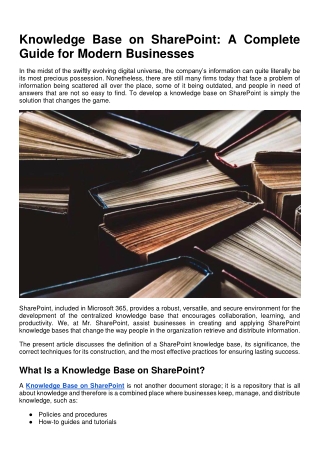
Knowledge Base on SharePoint: A Complete Guide for Modern Businesses In the midst of the swiftly evolving digital universe, the company’s information can quite literally be its most precious possession. Nonetheless, there are still many firms today that face a problem of information being scattered all over the place, some of it being outdated, and people in need of answers that are not so easy to find. To develop a knowledge base on SharePoint is simply the solution that changes the game. SharePoint, included in Microsoft 365, provides a robust, versatile, and secure environment for the development of the centralized knowledge base that encourages collaboration, learning, and productivity. We, at Mr. SharePoint, assist businesses in creating and applying SharePoint knowledge bases that change the way people in the organization retrieve and distribute information. The present article discusses the definition of a SharePoint knowledge base, its significance, the correct techniques for its construction, and the most effective practices for ensuring lasting success. What Is a Knowledge Base on SharePoint? A Knowledge Base on SharePoint is not another document storage; it is a repository that is all about knowledge and therefore is a combined place where businesses keep, manage, and distribute knowledge, such as: ● Policies and procedures ● How-to guides and tutorials
● FAQs and troubleshooting articles ● Training materials and onboarding resources ● Best practices and internal documentation A SharePoint knowledge base differs from the conventional file shares in that it is searchable, structured, and can be accessed from anywhere. It helps the employees to find reliable information very quickly, without depending on emails or informal communication (people talking to each other). Using modern SharePoint functionalities such as pages, metadata, search, and integration with Microsoft Teams, a knowledge base turns into an active and living source of truth. Why Use SharePoint for a Knowledge Base? There are multiple options for hosting documentation, but SharePoint is the one tool that adds a lot of value due to its unique capabilities. At Mr. SharePoint, we tend to recommend SharePoint quite often since it fits perfectly with the way people in businesses operate already. 1. Centralized Information Hub A SharePoint knowledge base is a single, reliable, and accessible source for the whole organization's knowledge. The employees are no longer required to do widespread searches through different systems or to ask the same questions over and over again. 2. Powerful Search Capabilities The search engine provided by SharePoint is so powerful that users are able to find articles, documents, and answers in no time with the help of keywords, filters, and metadata. This is the feature that makes a successful knowledge base on SharePoint an integral one. 3. Easy Content Creation and Updates Modern SharePoint pages give a chance to non-technical users to create and update content without the need for coding. The knowledge owners have access to the information, and they can keep it current, which in turn improves accuracy and trust. 4. Integration with Microsoft 365 A SharePoint knowledge base is perfectly integrated into various applications of Microsoft 365. ● Microsoft Teams ● Outlook ● OneDrive ● Power Automate ● Viva Connections All these applications are interconnected to enable the sharing of knowledge through the direct availability of knowledge embedded in the tools that employees use daily. 5. Security and Permissions SharePoint is a reliable tool in terms of permission and access control; it solves the problem of making sensitive information accessible only to the right people, and at the same time, it allows knowledge to flow freely. Best Practices for Managing a SharePoint Knowledge Base
To ensure long-term success, follow these best practices: Bring down the complexity and make the text easy to read Access to answers by the employees should be nearly immediate. Channel content freshness through revisiting and updating it often Trust in the source diminishes because of the old data. Arrange regular reviews and set up alerts or use Power Automate workflows. Encourage teamwork and feedback This keeps a knowledge base that is both relevant and shaped by the users. Determine the criteria for usage and performance SharePoint analytics can be leveraged to keep an eye on: 1. Articles with the highest number of views 2. Search terms 3. User engagement The understanding from these leads to content quality and arrangement improvement. Why Choose Mr. SharePoint? A creation of Knowledge Base on SharePoint above all technical aspects, it is supported by professional experience, a well-thought-out strategy, and user behavior insights. Mr. SharePoint is an expert in: ● SharePoint knowledge base designing and doing everything needed for it to run. ● Setting up information hierarchy and managing information ● Connecting Microsoft 365 and SharePoint ● Getting users on board and training them ● Providing continued support and increasing efficiency Our aim is to transform SharePoint into a magnificent knowledge-sharing platform for organizations, and not just a place to keep documents. Conclusion A Knowledge Base that is properly designed and built on SharePoint helps workers, lessens the number of the same questions asked questions, and the whole company's information is still there. By proper structure, governance, and adopting a strategy, SharePoint can turn out to be the backbone of your digital office. In case your company is prepared to bring together the knowledge and let the full capacity of Microsoft 365 become productive, Mr. SharePoint will be your guide for the whole process.