Upgrading to Moodle 2: New Features and Enhanced User Experience
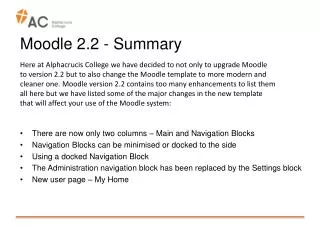
We are excited to announce that Alphacrucis College is upgrading to Moodle 2.3.3, featuring a modern template and various enhancements to improve user experience. The layout now includes only two columns: Main and RHS Blocks, with options to minimise or dock the RHS Blocks for easier navigation. The new Settings block replaces the Administration navigation block, and the My Home page effectively displays enrolled Course Units along with summaries of assignments, quizzes, and forums. Discover how these changes will enhance your Moodle experience!

Upgrading to Moodle 2: New Features and Enhanced User Experience
E N D
Presentation Transcript
Moodle 2 - Summary • There are now only two columns – Main and RHS Blocks • Right-hand side Blocks can be minimised or docked to the other side • Using a docked Navigation Block • The Administration navigation block has been replaced by the Settings block • New user page – My Home Here at Alphacrucis College we have decided to not only to upgrade Moodle to version 2 (currently 2.3.3) but to also change the Moodle template to a more modern and cleaner one. Moodle version 2 contains too many enhancements to list them all here but we have listed some of the major changes in the new template that will affect your use of the Moodle system:
Moodle 2 There are now only two columns: Main and RHS Blocks.
Moodle 2 To dock a RHS Block:Click on the “Dock” icon To minimise a RHS Block: Click on the [-] icon.
Moodle 2 When the mouse hovers over a docked block a drop-down menu is displayed. Click on the triangle to expand or contract a menu entry:
Moodle 2 The contents of the Settings block changes depending on what page you are viewing. For example on the main page of a Course Unit:
Moodle 2 The My Home page lists each enrolled Course Unit together with a summary of each assignment, quiz and forum: