Understanding Interrupts and Cache Memory in Computer Architecture
In this session, we will review the pivotal concepts of interrupts and cache memory within computer architecture. You will learn the role of the CPU, instruction fetch and execution processes, the significance of opcodes, and how interrupts enable efficient handling of I/O operations. We will explore various components such as the Program Counter, Instruction Register, and Memory Address Register, as well as the structure of the CPU and the bus system. This informative overview will enhance your understanding of data processing, storage, and movement within computers.

Understanding Interrupts and Cache Memory in Computer Architecture
E N D
Presentation Transcript
Interrupts & Cache MemoryWeek 3 Computer Architecture Computer Architecture
Review Computer Structures • English words & ideas you must know: • OPCODE (Operation Code) • Address • Instruction Fetch • Instruction Execute • Instruction Set • Operator • Operand • PC (Program Counter) • IR (Instruction Register) • PSR (Program Status Register) [or PSW – Program Status Word] • MAR (Memory Address Register) • MBR (Memory Buffer Register) [or MDR – Memory Data Register] Computer Architecture
What we will learn today • Review last class • Interrupts • Bus Interconnection • Cache Memory • Homework Computer Architecture
Functional View of Computer • Data Processing • Data Storage • Data Movement • Control Computer Architecture
Structural View of a Computer • Central Processing Unit (CPU) • Control Unit • Arithmetic Logic Unit (ALU) • Registers • CPU Interconnections • Main Memory • Input / Output (I/O) • System Interconnections Computer Architecture
I/O Devices • Mouse • Keyboard • Printer • Scanner • Floppy Disk • Hard Drive • CR-ROM • DVD • Speakers • Microphone • Etc…. Computer Architecture
Instruction Fetch Instruction Decode Operand Fetch Execute Result Store Next Instruction The Machine Cycle - Review Obtain an instruction from the memory Determine required actions and instruction size Locate and obtain operand data Compute a result value or status Deposit results in storage for later use Determine the successor instruction Computer Architecture
Opcode Examples - Review Instruction Format Examples of Opcodes: 0001 = Load AC from Memory 0010 = Store AC to Memory 0101 = Add to AC from Memory OPCODE Address Computer Architecture
CPU components - Review Control Unit: generates control signals that causes the execution of an instruction or the fetch of another instruction Program Counter: contains the address of the instruction currently being executed or the one to be fetched next Processor Status Register: contains information about the state of the CPU Instruction Register:contains the instruction currently being executed Memory Address Register: holds main memory addresses when fetching instructions or data Memory Data Register: stores instruction and data just fetched and data to be written to the main memory Arithmetic-Logic Unit:where calculations and manipulations take place General Purpose Registers:special memory cells for temporary storage of data Computer Architecture
Basic Computer - Review CPU Main Memory BUS PC MAR IR MBR I/O AR Execution Unit (ALU) I/O BR I/O Units Disk, Keyboard, Monitor, etc Computer Architecture
Interrupts • A mechanism by which other modules (like I/O, memory, etc) may interrupt the processor (CPU) • WHY!?? • All processing is done by the CPU • It must handle ALL requests / work Computer Architecture
Types of Interrupts • Program • Usually error condition – divide by zero, overflow, memory address error, illegal instruction, etc • Timer • Timer with in CPU • I/O • I/O Controller, I/O completed or error • Hardware Failure • Power failure • Memory parity error Computer Architecture
How Interrupts work • CPU MUST do all work, so: • Save current state (to where?) • Load new state (from where?) • Execute code • Restore old state (from where?) • Continue with original program Computer Architecture
Interrupts – Save State • Save / restore current state to / from RAM • Save PC (Program Counter) • Save Registers • Save PSR (Program Status Register) Computer Architecture
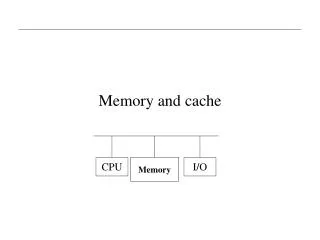
Basic BUS Structure CPU RAM I/O Computer Architecture
Computer BUS • High speed data interconnect • Parallel (many data & control wires) • Connects many components in the computer • CPU • Memory • I/O • Disks (hard drives & floppies) • Keyboard, Monitor, Mouse • CDrom, DVD, etc Computer Architecture
BUS – Data Transfers • Memory to Processor (CPU) • Processor (CPU) to Memory • I/O to Processor (CPU) • Processor (CPU) to I/O • Special case (special hardware) • I/O to Memory • Memory to I/O Computer Architecture
Memory Constraints • Fast memory – cost MORE per bit • More memory – cost less per bit • More memory – slower access time • In summary: • Fast memory is small & expensive (Cache) • Large memory is slow & cheap (RAM) Computer Architecture
Memory Characteristics • Location – Processor, Internal, External • Capacity – Word size, Number of words • Unit of Transfer – Word, Block • Performance – Access time, Cycle time, Transfer rate • Access Method – Sequential, Direct, Random, Associative • Physical Characteristics – Volatile/Nonvolatile, Erasable/Nonerasable • Physical Type – Semiconductor, Magnetic, Optical, Magneto-optical Computer Architecture
Memory Hierarchy • Motherboard • CPU – registers, cache • Main memory (RAM) • Computer • Hard drives, floppies • CD-ROM, DVD • External • Magnetic tape • USB (Universal Serial Bus) devices • WORM (Write Once, Read Many) Computer Architecture
Cache Memory • What is the purpose of cache memory? • Typical RAM Speed 800 MHz • Typical CPU Speed 3.2 GHz (= 3200 MHz) • CPU is 4 times faster than RAM!!! • Adapt to speed (clock speed) difference between main memory (RAM) and CPU. Computer Architecture
Updated Basic Computer CPU Main Memory BUS PC Cache Memory MAR IR MBR Execution Unit (ALU) I/O AR I/O BR Registers Control Unit I/O Units Disk, Keyboard, Monitor, etc Computer Architecture
Cache • How it works: • Move a block of memory (data or instructions) from RAM to Cache memory on CPU • Execute ‘most’ instructions from Cache • Accessing data ‘mostly’ in Cache Computer Architecture
PROGRAM A int array[1024][1024]; int i,j; for (i=0; i<1024; i++) { for (j=0; j<1024; j++) { array[i][j] = 0; } } PROGRAM B int array[1024][1024]; int i,j; for (j=0; j<1024; j++) { for (i=0; i<1024; i++) { array[i][j] = 0; } } Cache ExampleC - Code Computer Architecture
Cache Memory – Optional Material • Main Cache Design Characteristics • Cache Size • Mapping Function • Direct • Associative • Set Associative • Replacement Algorithm • LRU – Least Recently Used • FIFO – First In First Out • LFU – Least Frequently Used • Random • Write Policy • Write through • Write back • Write once • Number of caches • 1 Or 2 levels • Unified or split Computer Architecture
What you know now • Interrupts • Bus Connections • Cache Memory Computer Architecture
Reading • Interrupts http://en.wikipedia.org/wiki/Interrupt • Cache http://en.wikipedia.org/wiki/CPU_cache • RAM http://en.wikipedia.org/wiki/Random-access_memory Next Lecture • Internal Memory Computer Architecture
Self-Preparation QuestionsWeek 3 1. Draw a detailed diagram of a CPU.2. Why do we need interrupts?3. What is the purpose of cache memory? Computer Architecture