Comprehensive Guide to Unit Testing in Java with JUnit
Explore the essential concepts of unit testing in Java using JUnit, emphasizing the mantra “If it isn't tested, it doesn’t work”. This guide covers requirements for effective tests, the methods that should be tested, how to write test cases using annotations, and the significance of fixtures for shared test data. Moreover, learn how to handle exceptions during testing and utilize NetBeans for automatic test case generation. Adopting these testing practices aligns with Extreme Programming principles, fostering better design and code quality.

Comprehensive Guide to Unit Testing in Java with JUnit
E N D
Presentation Transcript
Unit testing Java programsUsing JUnit “If it isn't tested, it doesn’t work” Unit testing Java programs
Requirements for tests • Tests must be executable • A test must clearly show whether it executed successfully or not • The not-so-successful part of the test must not be buried in a pile of test reports. Unit testing Java programs
Which methods should be tested • Test a method if you are not 100% sure that the method is correct. • Methods that usually does not need testing • Simple get and set methods • However, you might call get and set methods in testing other (more complex) methods • Simple toString methods Unit testing Java programs
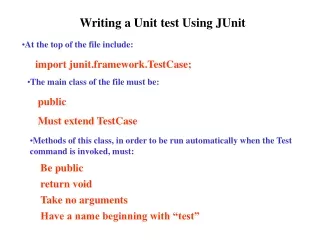
Individual test cases • Annotate the test method with @org.junit.Test • No need to extends any classes or use special method names • Unlike JUnit 3 • Generally you would like one test class pr. Java class • The unit to test is a class. Unit testing Java programs
Fixtures: Before and After • Sometimes you have 2 or more tests that must run on the same data. • To ease this JUnit introduces the concept of a “fixture”. • You can annotate 2 methods in your test class from • @org.junit.Before • Executed before each individual test • Used to initialize test data • Used quite often • @org.junit.After • Executed after each individual test • Used to clean up after the test • Examples: Close database or socket connections • Not used very often Unit testing Java programs
How to test exceptions • JUnit 3: Testing an expected exception try { method(); fail(“Exception expected”); } catch (ExpectedException ex) { /* ignore */ } • JUnit 4: Testing an expected exception • Use an annotation • @Test (expected = SomeException.class) public void testMetod() { … } • If testMethod() does not throw SomeException the test fails. Unit testing Java programs
NetBeans assistance • JUnit is a plugin to NetBeans • And many other IDE’s • NetBeans can assist you in making TestCases for individual Java class and in assembling the test cases into test suites. • Right click the class you want to test • Tools →JUnit tests • Choose JUnit 4 (not JUnit 3) • JUnit generates empty tests for each public / protected method in a Java class. • Fill you the empty tests and run the test. • Like you run an ordinary program Unit testing Java programs
Testing in XP • Testing is an important discipline in XP (Extreme Programming) • XP idea: Create the test before the code to be tested • Writing the test makes you thing about detailed design • Test is an executable requirements • Writing (and running) test will be a positive experience. • We know when a class is done • When all tests run Unit testing Java programs
References Beck & GammaJUnit Cookbook, http://junit.sourceforge.net/doc/cookbook/cookbook.htm Kent Beck & Erich Gamma invented JUnit Kent BeckJUnithttps://github.com/KentBeck/junit/wiki Martin FowlerRefactoring, Addison Wesley 2000 Chapter 4 Building Tests, page 89-102 Extreme Programming, Code the Unit Test Firsthttp://www.extremeprogramming.org/rules/testfirst.html Testing is an important discipline in XP (eXtreme Programming), which is another Kent Bech invention. Alex GarrettJUnit antipatterns http://www-128.ibm.com/developerworks/opensource/library/os-junit Unit testing Java programs