Understanding USB: Expanding PC Peripheral Connectivity
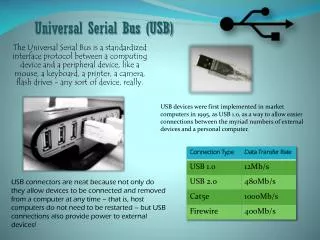
The Universal Serial Bus (USB) revolutionizes PC connectivity by allowing for "Plug and Play" capabilities. This technology supports hot plugging and enables the connection of up to 127 peripherals without needing to open the PC. With data transfer speeds up to 480 Mbps in USB 2.0, it handles low to medium-speed applications efficiently. USB utilizes a tiered star topology through hubs, facilitating asynchronous and isochronous data transfers. By employing differential encoding and a defined mechanical structure, USB ensures reliable communication and power supply for connected devices, enhancing user experience.

Understanding USB: Expanding PC Peripheral Connectivity
E N D
Presentation Transcript
USB (Universal Serial Bus) • Need for “Plug and Play” capability for PC peripherals outside of PC • Supports hot plugging • Inexpensive solution for low to medium speed applications (v. 2.0 480Mbps) • Tiered star topology (hubs) • Expands to 127 peripherals • Supports 2 kinds of transfer • Asynchronous (delay between packets) • Isochronous (planned delivery of data, e.g., multimedia applications) EE 766 Computer Interfacing and Protocols
USB • Need for peripherals expansion outside of PC • Want to connect new device without opening the case • Do not want to use PC serial or parallel ports • Want to be able to “hot swap” devices without power off or rebooting • Want to be able to service low, medium (full), and high speed devices (1.5-12-480 Mbps) • Want a lot of extension capability (127) • Want the device end interface simple and cheap • Want interface to supply some power EE 766 Computer Interfacing and Protocols
USB Packets • Parts of packet • SYNC • PID (Packet Identifier) • EOP (End of Packet) • Sync 8 Bits K J K J K J K K (Idle J) D+ D- EE 766 Computer Interfacing and Protocols
USB Signaling • Differential Encoding used • NRZ-I • 0 Transition • 1 No transition • Bit stuffing used • 0 stuffed after 6 consecutive 1s • Note the difference from HDLC EE 766 Computer Interfacing and Protocols
USB Features • Serial • Half duplex medium • All control originates from PC(Access not distributed) • Operating system must recognize new devices at any time • Information sent in packets • Information types • Control • Interrupt (polling) • Bulk (good delivery) • Isochronous (guaranteed rate) EE 766 Computer Interfacing and Protocols
USB Signaling • Differential voltage signaling • Bus states • D+ high, D- low J (Idle) • D+ low, D- high K • Bus can float if neither end drives • SE0 (single ended zero) • D+, D- low • SE1 (single ended one) • D+, D- high EE 766 Computer Interfacing and Protocols
USB Mechanical Aspects • Cable length limited to 5m • Interface is serial, differential • Host or hub supplies up to 500mA at 5V downstream • Cable has 4 wires VCC, GND, D+, D- • V. 1.1: Cable must be shielded for 12Mbps • V. 2.0: Max speed 480Mbps • Automatic speed sensing EE 766 Computer Interfacing and Protocols
USB Mechanical Aspects • Cable ends distinctive • Flat vs. square • Power pins longer so power is stable when data is connected • Up to 5 levels of hub hierarchy • Speed degradation if all devices are active together EE 766 Computer Interfacing and Protocols