Download
1 / 12
120 likes | 230 Vues
Discover how eLibrary's Standards Search capabilities empower educators to efficiently locate content that aligns with state and national standards across all core curricula subjects. The Advanced Search feature allows for customized searches by state, subject, and research categories, saving valuable time in lesson planning. This tool ensures that library resources meet learning benchmarks, providing students with high-quality, on-task information. Access a vast repository of relevant content to supplement existing curricula and stay updated with the latest educational materials.

E N D
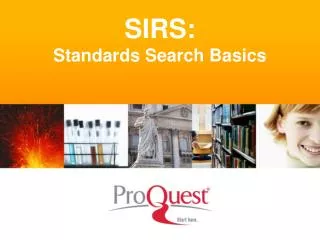
eLibraryStandards Search Basics 2011-12
Standards Search Capabilities • Find content aligned to state and national standards • All core curricula subjects, states, provinces • Available in eLibrary, eLibrary Curriculum Edition (CE), eLibrary Canada + CE, eLibrary Science [PLUS SIRS solutions]
Standards Search Benefits • Helps educators save time during the lesson planning process • Provides students with targeted, on-task information of the highest quality
Standards Search Benefits • Ensures library resources are aligned directly to learning benchmarks • Gives schools a vast pool of relevant content to augment existing curriculum
Standards Search Basics Advanced Search • Launch state, national, and Canadian Provincial standards searches from eLibrary’s Advanced Search link • Use Local Configuration to customize standards display and workstation access
Standards Search Basics Select:1. State (Location) 2. Subject3. Click GO
Standards Search Basics Standards Search Selection • Review the standards related to the subject • Use the navigational “twisty” triangles to drill deeper into a content standard • Click each twisty to move deeper to uncover standard nodes
Standards Search Basics Standards Search Selection • At the benchmark level click a See resourceslink to begin matching eLibrary content
Standards Search Basics Topic Alignment • eLibrary queries the benchmark against our topic tree • Results display all topics related to the benchmark • Select a topic or sub-topic from any breadcrumb trial near the bottom to access resources
Standards Search Basics DocumentResults • Topics lead to related websites, periodicals, reference works, and multimedia sources • Dynamic searches ensure educators can find updated content as new documents are added to eLibrary
Sample eLibrary Resources Websites Documents Multimedia …more…
eLibraryQuestions? Call our ProQuest representatives at 1-734-761-4700 http://www.proquestk12.com