Automating Updates in EGL SQL Database Connection Preferences
This document outlines the process for automating updates to the EGL SQL database connection settings. When changes are made in the EGL Runtime Data Source page, a prompt appears to update both the build options and the Context.xml file. Users should confirm by clicking 'Yes' to ensure that updates are applied correctly. Additionally, ensure that the vgj.jdbc.default.database variable in the RunUnit properties file is set correctly. Follow the steps outlined for seamless integration and accurate project configuration.

Automating Updates in EGL SQL Database Connection Preferences
E N D
Presentation Transcript
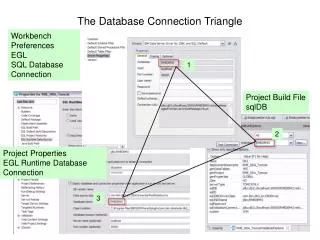
The Database Connection Triangle Workbench Preferences EGL SQL Database Connection 1 Project Build File sqlDB 2 Project Properties EGL Runtime Database Connection 3
Updating Context.xml Automagically 1. 4.** 2. Making a change in the EGL Runtime Data Source page will trigger the prompt to update the build options and update the Context.xml 3. Project Properties EGL Runtime Database Connection **Note: Clicking Yes when prompted will update the build options file AND the Context.xml file.
The RunUnit Properties File SEARCH ORDER rununit.properties file Make sure that the vgj.jdbc.default.database variable created in the rununit.properties file is set correctly Project Build File See Slide Notes