Download
1 / 14
150 likes | 284 Vues
In this comprehensive guide by Eric Siebert, a recognized VMware vExpert and industry veteran, we explore the intricacies of restoring VMware backups. Discover the three key data restore levels: bare-metal, file-level, and application-level restorations, each with its unique advantages. Learn how virtualization simplifies recovery processes, eliminatinating traditional complexities. This resource offers insights into modern backup methods and explores virtualization's benefits in making recoveries efficient. Gain essential knowledge for mitigating risks in data recovery and streamlining operations.

E N D
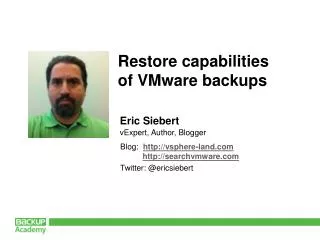
Restore capabilities of VMware backups Eric Siebert vExpert, Author, Blogger Blog: http://vsphere-land.com http://searchvmware.com Twitter: @ericsiebert
About the speaker • 25 year IT industry veteran. vSphere Land blog: http://vmware-land.com/ Author of popular books Contributor to industry publications vExpert nomination
Agenda • Data restore levels • Bare-metal restores • File-level restores • Application-level restores
Data Restore Levels 3 Different levels to backup and restore Application item level File level Image level SQL record
Data Restore Levels Each level has different advantages
Traditional restore methods • Traditional methods more complicated and require resources • Complicated restores require like hardware for image recovery • File level backups require application configuration Virtualization provides greater flexibility Backup Restore
Traditional file level restores • Traditional backups work inside OS • Most virtualization backup applications use image backups • With an image backup, how are individual files restored? File-level Restore Agent VM Backup File-level Backup Restore
Virtualization file level restores • Image-level backups can mount a virtual disk • No agent on target server, so process is different • No need to restore entire VM • Process is different for virtualization, result the same File-level Restore VM image backup VM Image-level Backup
Traditional bare-metal restores Bare-metal restores do not require an OS present RestoreBackup Post-install tasks Pre-install tasks Backup Agent Backup Agent Simple OS (boot device) Simple OS (boot device)
Virtualization bare-metal restores • Whole VM is backed up at the image level as a single file • Hardware compatibility issues removed with virtualization • VMs all have the same virtual hardware • VMs can be restored to alternate locations • Isolation easy when restoring VMs Register a VM VM imageBackup
Traditional application level restores • Typically restoring to original location • Not individual files, but one large file with many objects • Limited awareness to file structure • Agent or native restores Application Backup Agent OS Backup Restore App Item usingnative tool Application RestoredApplication RestoreBackup OS OS Backup
Virtualization application level restores Virtualization simplifies recovery • Copying objects from backup to source can be complicated • Need application objects and restore to source • Virtualization makes restoring applications easier • No need for dedicated hardware Restore App Item usingnative tool Restore whole VM backup Isolated environment Production Backup Restore
What we covered • Data restore levels • Bare-metal restores • File-level restores • Application-level restores
Enjoy and share this material • Feel free to promote this material • Recommend your peers to pass certification • Blog, Tweet and share this material and your experience on Facebook • You’re an Expert? We will be happy to have you as Backup Academy • contributor. Apply here. Web: http://www.backupacademy.com E-mail: feedback@backupacademy.com Twitter: BckpAcademy Facebook: backup.academy