
Exploring the Oracle Database Architecture
E N D
Presentation Transcript
Objectives • After completing this lesson, you should be able to: • List the major architectural components of Oracle Database • Explain the memory structures • Describe the background processes • Correlate the logical and physical storage structures
Oracle Database • The Oracle relational database management system (RDBMS) provides an open, comprehensive, integrated approach to information management
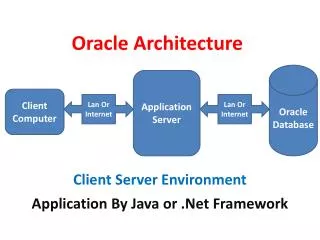
Connecting to a Server • Client • Middle tier • Server • Multitier architecture shown
Oracle Database Architecture: Overview Instance • Others • SMON • PMON • RECO SGA Shared pool Databasebuffercache Redo logbuffer Library cache Data dictionarycache PGA Serverprocess • DBWn • CKPT • LGWR • ARCn Database Userprocess Archived log files Control files Online redo log files Data files
Userprocess • Serverprocess • Connection Connecting to the Database • Connection: Communication between a user process and an instance • Session: Specific connection of a user to an instance through a user process • SQL> Select … • Session • User • Session
Interacting with an Oracle Database Instance Userprocess • Serverprocess SGA Shared pool Databasebuffercache Redo logbuffer Library cache Data dictionarycache • DBWn • CKPT • LGWR • SMON • PMON • RECO • Others • ARCn • User
Userprocess • Serverprocess Oracle Database Server Structures Instance • Memory structures SGA Shared pool Databasebuffercache Redo logbuffer Library cache Data dictionarycache • Processes • DBWn • CKPT • LGWR • SMON • PMON • ARCn • RECO • Others Database • Storage structures Control files Online redo log files Data files
Oracle Database Memory Structures DB structures Memory - Process - Storage Serverprocess 1 Serverprocess 2 Backgroundprocess PGA PGA PGA SGA • Data dictionary cache • Shared SQL area • Other • Library cache • Shared pool • Redo log buffer • Free memory • I/O buffer • Database buffercache • Response queue • Request queue • Java pool • Streams pool • Large pool
Database Buffer Cache • Is part of the SGA • Holds copies of data blocks that are read from data files • Is shared by all concurrent users Instance SGA Shared pool Databasebuffercache Redo logbuffer Library cache Data dictionarycache • DBWn • CKPT • LGWR • SMON • PMON • RECO • Others • ARCn
Redo Log Buffer • Is a circular buffer in the SGA • Holds information about changes made to the database • Contains redo entries that have the information to redo changes made by operations such as DML and DDL Instance SGA Shared pool Databasebuffercache Redo logbuffer Library cache Data dictionarycache • DBWn • CKPT • LGWR • SMON • PMON • RECO • Others • ARCn
Shared Pool • Is a portion of the SGA • Contains: • Library cache • Shared SQL area • Data dictionary cache • Control structures Instance • Shared SQL area SGA Shared pool • Data dictionary cache Databasebuffercache Redo logbuffer Library cache Data dictionarycache • Library cache • Other • DBWn • CKPT • LGWR • SMON • PMON • RECO • Others • ARCn
Allocation and Reuse of Memory in the Shared Pool • Server process checks the shared pool to see if a shared SQL area already exists for an identical statement. • Server process allocates a private SQL area on behalf of the session. • Data dictionary cache • Shared SQL area Serverprocess • Library cache • Other • Shared pool
Large Pool • Provides large memory allocations for: • Session memory for the shared server and the Oracle XA interface • I/O server processes • Oracle Database backup and restore operations Databasebuffercache Redo logbuffer • Shared pool • Free memory • I/O buffer • Response queue • Request queue • Java pool • Streams pool • Large pool • Large pool
Java Pooland Streams Pool • Java pool memory is used in server memory for all session-specific Java code and data in the JVM. • Streams pool memory is used exclusively by Oracle Streams to: • Store buffered queue messages • Provide memory for Oracle Streams processes • Java pool • Streams pool
Process Architecture • DB structures • - Memory • Process • - Storage • User process • Is started when a database user or a batch process connects to Oracle Database • Database processes • Server process: Connects to the Oracle instance and is started when a user establishes a session • Background processes: Are started when an Oracle instance is started Instance SGA Shared pool Databasebuffercache Redo logbuffer Library cache Data dictionarycache PGA Userprocess • Serverprocess Background processes • DBWn • CKPT • LGWR • SMON • PMON • RECO • Others • ARCn
Process Structures Server Server Server Server Server • Server n processes SGA Shared pool Databasebuffercache Redo logbuffer Library cache • SGA Data dictionarycache • CKPT • RECO • PMON • SMON • DBWn • LGWR • ARCn • Others • Oracle background processes
Database Writer Process (DBWn) • Writes modified (dirty) buffers in the database buffer cache to disk: • Asynchronously while performing other processing • Periodically to advance the checkpoint • DBWn • Database buffer cache • Database writer process • Data files
LogWriter Process (LGWR) • Writes the redo log buffer to a redo log file on disk • Writes: • When a user process commits a transaction • When the redo log buffer is one-third full • Before a DBWn process writes modified buffers to disk • LGWR • Redo log buffer • LogWriter process • Redo log files
Checkpoint Process (CKPT) • Records checkpoint information in • Control file • Each data file header • CKPT • Control file • Checkpoint process • Data files
System Monitor Process (SMON) • Performs recovery at instance startup • Cleans up unused temporary segments • SMON • Instance • System Monitor process • Temporary segment
Process Monitor Process (PMON) • Performs process recovery when a user process fails • Cleans up the database buffer cache • Frees resources that are used by the user process • Monitors sessions for idle session timeout • Dynamically registers database services with listeners • PMON • User • Failed user process • Process Monitor process • Database buffer cache
Recoverer Process • Used with the distributed database configuration • Automatically connects to other databases involved in in-doubt distributed transactions • Automatically resolves all in-doubt transactions • Removes any rows that correspond to in-doubt transactions • RECO • Recoverer processin database A • In-doubt transactionin database B
Archiver Processes (ARCn) • Copy redo log files to a designated storage device after a log switch has occurred • Can collect transaction redo data and transmit that data to standby destinations • ARCn • Archiver process • Copies of redo log files • Archive destination
Other Processes • MMON: Performs manageability-related background tasks • MMNL: Performs frequent and lightweight manageability-related tasks • MMAN: Performs automatic memory management tasks • CJQ0: Runs user jobs used in batch processing • QMNC: Monitors the Streams Advanced Queuing message queues
Server Process and Database Buffer Cache • Buffers: • Pinned • Clean • Free or unused • Dirty SGA Serverprocess Databasebuffercache • DBWn • Database writer process • Data files
Database Storage Architecture DB structures - Memory - Process Storage Control files • Data files • Online redo log files • Parameter file • Backup files • Archived redo log files • Password file • Alert log and trace files
Logical and Physical Database Structures Logical Physical Database Data file Schema Tablespace Segment Extent OS block Oracle datablock
Tablespaces and Data Files • Tablespaces consist of one or more data files. • Data files belong to only one tablespace. Data file 2 Data file 1 USERS tablespace
SYSTEM and SYSAUX Tablespaces • The SYSTEM and SYSAUX tablespaces are mandatory tablespaces that are created at the time of database creation. They must be online. • The SYSTEM tablespace is used for core functionality (for example, data dictionary tables). • The auxiliary SYSAUX tablespace is used for additional database components (such as the Enterprise Manager Repository).
Segments, Extents, and Blocks • Segments exist in a tablespace. • Segments are collections of extents. • Extents are collections of data blocks. • Data blocks are mapped to disk blocks. Segment Extents Data blocks Disk blocks
Database Architecture:Summary of Structural Components • Memory structures: • System Global Area (SGA): Database buffer cache, redo buffer, and various pools • Program Global Area (PGA) • Process structures: • User process and server process • Background processes: SMON, PMON, DBWn, CKPT, LGWR, ARCn, and so on • Storage structures: • Logical: Database, schema, tablespace, segment, extent, and Oracle block • Physical: Data files, control files, and redo log files
SummaryPractice 1: Overview • In this lesson, you should have learned how to: • List the major architectural components of Oracle Database • Explain the memory structures • Describe the background processes • Correlate the logical and physical storage structures • This is a paper practice with questions about: • Database architecture • Memory • Processes • File structures