Download
1 / 95
950 likes | 1.1k Vues
In this informative session, Jason Athayde discusses essential techniques for creating impactful PowerPoint presentations. Emphasizing the importance of theme selection, legible fonts, and text size, he shares practical advice on ensuring your slides complement your voice rather than overshadow it. Learn how to keep your audience engaged by limiting slide content, using bullet points effectively, and maintaining a focus on clarity and readability. Transform your presentation skills and become a captivating speaker with these powerful tips.

E N D
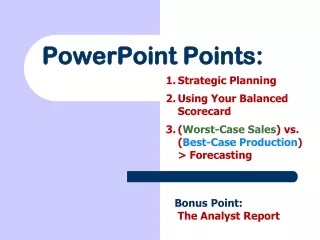
Have Powerful Points in PowerPoint Jason M. J. Athayde St. Ignatius Toastmasters January 2, 2013
Theme Selection • Background brightness should match presentation room WORDS WORDS
Theme Selection DON’T EVER DO THIS. OR THIS.
Font and Text • Use legible, standard print fonts • Calibri • Arial • Cambria • Times New Roman • Can anyone even read this line? • Comic sans = not so professional
Font and Text • Use larger fonts • Recommend: size 40-50 for titles, 20-28 for main text Size matters Size matters Size matters Size matters Size matters Size matters Size matters If you can actually read this, you have amazing eyesight.
Font and Text • Main point #1 • Main point #2 • Sub point about point #2 • Main point #3
Font and Text If the audience can read the slide, then you become unnecessary. The audience can gain everything necessary from the slide itself, and because the audience is busy gaining everything necessary from the slide itself, you become a mere side attraction. Nobody is looking at you – they’re all reading the slide, seeing what you’ll say before you say it! Keep it to bullet points. Don’t make yourself unnecessary. *note to self: delete this slide before presenting!
Extensiveness • Keep the number of slides down • Keep things succinct – it shouldn’t stand alone • Make it useful • 5 slides = maybe too few