Download
1 / 11
110 likes | 221 Vues
This guide aims to familiarize educators with WS Online and its tools for effective teaching. Learn how to create and manage assignments using GrammarSnap and Net-text. We'll walk you through logging into WS Online, including accessing profile questions, managing class permissions, and exploring key features. Discover valuable online resources such as training videos and technology user guides to enhance your teaching experience. Empower your classroom with the right tools and support!

E N D
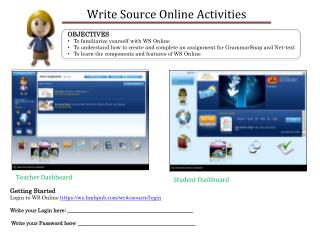
OBJECTIVES • To familiarize yourself with WS Online • To understand how to create and complete an assignment for GrammarSnap and Net-text • To learn the components and features of WS Online Getting Started Login to WS Online https://ws.hmhpub.com/writesource/login Write your Login here: _______________________________________________ Write your Password here: ____________________________________________
4. Click on “Home” button. Go under “Manage Class” and click on the “Profile Questions” tab. Create a profile question (freeform or multiple-choice).
Notice how you can manage the class permissions 10. Click on Home
December 1, 2013 Top 3 Features of WS Online December 1, 2013 Top 3 Features of WS Online select an activity to assign
OBJECTIVE: Explore GrammarSnap listing the features of the system along the way
7. Click on the QUIZ, take the quiz (follow onscreen directions) and submit the quiz to receive a score.
OBJECTIVE: Explore Net-text listing the features of the system along the way
Write Source: Important Online Support Links • To access Frequently Asked Questions, detailed Technology User Guides, and a Write Source Training Video, visit Write Source Technical Support: • http://techsupport.hmhpub.com/fix.asp?isid=51001 • For an overview of Write Source Online and to learn how to implement the • program in the classroom, go to hmhelearning:http://www.hmhelearning.com/langarts/writesource/na/index.php • Write Source Resource Library: • http://www.hmhelearning.com/langarts/writesource/na/resourceLibrary.php • Smart Notebook Express Technology software download for Interactive Whiteboard Lessons: http://express.smarttech.com • Write Source Online Tutorial: Setting Up Online Roles for Implementation, Creating Administrator/Teacher/Student Accountshttp://www.hmhelearning.com/langarts/writesource/resources/wso_tutorial/player.html • Write Source Digital InserviceTraining Video (direct link): http://bcove.me/60aqd42f • For other needs, email Technical Support Customer Experience: • wstechsupport@hmhpub.com