Mastering Control Flow Statements in SQL Procedures
Learn to work with compound statements, conditional statements (IF and CASE), looping (FOR, WHILE, REPEAT, LOOP), and how to transfer control in SQL procedures. Understand the syntax and examples of different flow control statements.

Mastering Control Flow Statements in SQL Procedures
E N D
Presentation Transcript
Unit objectives After completing this unit, you should be able to: • Use Compound statements (ATOMIC and NOT ATOMIC) • Use labels in both compound statements and loops • Work with Conditional Statements (IF and CASE) • Implement Looping (FOR, WHILE, REPEAT, and LOOP) • Transfer Control using (GOTO, LEAVE, ITERATE, RETURN, COMMIT, and ROLLBACK)
Compound statements • Can have labels: • P1: BEGIN … END P1 • Can be atomic: • BEGIN ATOMIC • Can contain: • Declarations • Procedural statements • Other compound statements
Compound statements • Order of statements in compound statement: • SQL variables and condition declarations–Cursor declarations • Handler declarations • Procedure body statements • Terminating statements with ; • Procedure body has no terminating character • Statement nested within other statements ends with ;
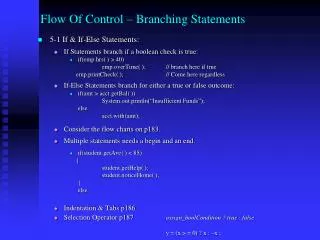
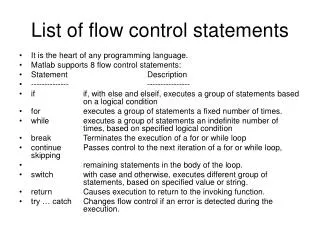
Control flow statements (1 of 2) • CASE statement • Select execution path based on multiple conditions • IF statement • Select execution path based on evaluation of conditions • LOOP statement • Execute statements multiple times • REPEAT statement • Execute statements until condition is true
Control flow statements (2 of 2) • WHILE statement • Execute statements while condition is true • FOR statement • Execute statements for each row of a table • ITERATE • Transfers flow on control to labeled block or loop • LEAVE statement • Transfer control out of loop or block for FOR, LOOP, REPEAT or WHILE
Conditional statements • Syntax: IF cond1 THEN statement ; ELSEIF cond2 THEN statement ; ELSE statement ; END IF;• • Example: IF rating = 1 THEN UPDATE EMPLOYEE SET salary = salary*1.10 WHERE empno = i_num; ELSEIF rating = 2 THEN UPDATE EMPLOYEE SET salary = salary*1.05 WHERE empno = i_num; ELSE UPDATE EMPLOYEE SET salary = salary*1.03 WHERE empno = i_num;END IF;
CASE statement (1 of 2) • Simple CASE statement:
CASE statement (2 of 2) • Searched CASE statement:
LOOP statement • Syntax: [label] LOOP SQL-procedure-statement(s); END LOOP [label] • Example: fetch_loop: LOOP FETCH c1 INTO v_firstname, v_lastname; SET counter = counter + 1; IF counter = 51 THEN LEAVE fetch_loop; END IF; END LOOP fetch_loop;
Transfer control using GOTO • GOTO label IF v_DEPT= ‘D11’ GOTO bye; Bye:
RETURN • RETURN expression IF v_DEPT= ‘E11’ RETURN 1;
COMMIT and ROLLBACK • COMMIT • COMMIT WORK; • ROLLBACK • ROLLBACK WORK;
Unit summary Having completed this unit, you should be able to: • Use Compound statements (ATOMIC and NOT ATOMIC) • Use labels in both compound statements and loops • Work with Conditional Statements (IF and CASE) • Implement Looping (FOR, WHILE, REPEAT, and LOOP) • Transfer Control using (GOTO, LEAVE, ITERATE, RETURN, COMMIT, and ROLLBACK)