Regular Expressions
Dive into the world of Regular Expressions (RegEx) to enhance your text searching and replacing skills. This guide covers the basics of sequence searching, tracking, and machine operation for logic machines. Learn why mastering RegEx is beneficial for working with text documents, code, and databases. Discover its powerful capabilities like finding multiple substrings, case control, and pattern matching. With practical tips for using text editors and online resources, you'll be equipped to implement RegEx effectively for seamless text processing and increased productivity.

Regular Expressions
E N D
Presentation Transcript
What is it 4? • Text searching & replacing • Sequence searching (input, DNA) • Sequence Tracking • Machine Operation • logic machines that are not quite computers - ex: some control circuitry
Why learn it? • Powerful for Searching • Simplistic and TIME SAVING • Extremely fast • Repeating characters, case control, optional character sets, alternate patterns • Find multiple sub-strings
Why learn it? • To put it on a resume • Be more productive working with text documents: code, xml, databases, etc. • Easy maintenance • Easier to understand (than alternative) • Smaller Code
Why learn it? • Standardized (somewhat) • Editors, IDEs(vi, grep, php, Eclipse) • CS Concepts
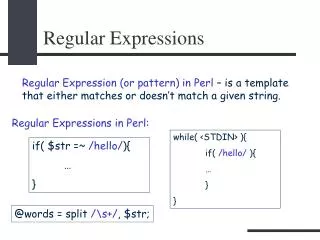
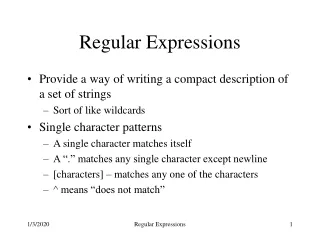
“Regular Expression” • grep patterns = “Regular Expression” • Pattern matching, such as: • Searching text - WILDCARDS++ • Replacing parts of the found text • Multiple-FILE search & replace!
Learning • Use a Text Editor that supports RegExp or Grep Patterns (best use Perl Library: PCRE) • Use the Regular Expression Play Pen webpage (class website) • Experiment, make notes for future