Download
1 / 1
Troubleshooting Blank Screen Issues When Clicking Links
10 likes | 196 Vues
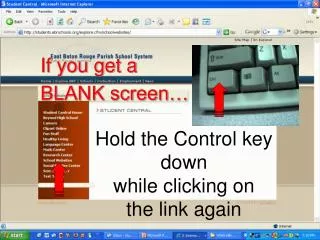
If you encounter a blank screen while clicking on a link, hold down the Control key and click the link again. This troubleshooting step may help bypass certain browser issues, allowing the webpage to load properly. Ensure your browser is up to date and try clearing your cache if the problem persists. If you continue to experience blank screens, consider checking your internet connection or using a different browser for better compatibility.

Télécharger la présentation 
Troubleshooting Blank Screen Issues When Clicking Links
An Image/Link below is provided (as is) to download presentation
Download Policy: Content on the Website is provided to you AS IS for your information and personal use and may not be sold / licensed / shared on other websites without getting consent from its author.
Content is provided to you AS IS for your information and personal use only.
Download presentation by click this link.
While downloading, if for some reason you are not able to download a presentation, the publisher may have deleted the file from their server.
During download, if you can't get a presentation, the file might be deleted by the publisher.
E N D
Presentation Transcript
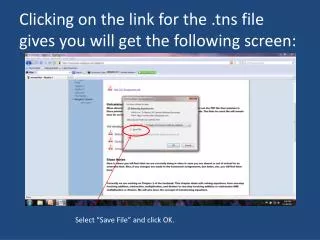
Hold the Control key down while clicking on the link again If you get aBLANK screen…














More Related