Understanding the Document Object Model (DOM) for XML Data Interaction
This guide provides a detailed overview of the Document Object Model (DOM) as it applies to XML data structures. It highlights the hierarchical tree nature of XML, describing nodes such as elements, text, and attributes, and introduces key DOM methods for node traversal. Readers will learn about essential functions for accessing and manipulating XML data, along with the benefits and drawbacks of using DOM. The document further explores XPath for efficient data querying within XML, contrasting it with traditional DOM methods to enhance understanding and application.

Understanding the Document Object Model (DOM) for XML Data Interaction
E N D
Presentation Transcript
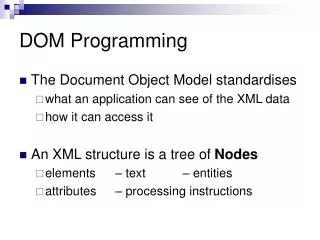
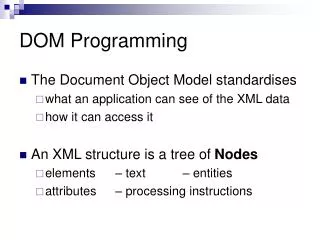
DOM Programming • The Document Object Model standardises • what an application can see of the XML data • how it can access it • An XML structure is a tree of Nodes • elements – text – entities • attributes – processing instructions
DOM Nodes and NodeLists • All nodes have • type getNodeType() • name getNodeName() • value getNodeValue() • Nodes are arranged in • NodeLists e.g. child elements of <ol> • NamedNodeMaps e.g. attributes of <img>
DOM Node Traversal Methods • Element nodes have • parent Node getParentNode() • children Node getFirstChild()Node getLastChild()NodeList getChildNodes() • siblings Node getNextSibling()Node getPreviousSibling() • attributes NamedNodeMap getAttributes()
DOM NodeLists • NodeLists have • length int getLength() • individual items Node item(n) • NamedNodeMaps have • length int getLength() • individual items Node item(n) • named items Node getNamedItem(str)
DOM Demonstration • JavaScript binding allows Dynamic XML • dom.html contains a demonstration of DOM access of an XML document.
Microsoft Extensions to DOM • New functions combine DOM and XPath • NodeList selectNodes("XPath expression") • Node selectSingleNode("XPath expression") (see later lesson for XPath) • DOM calls renamed as properties e.g.n.getNodeType() becomes n.nodeType and documentElement.getChildNodes() becomes documentElement.childNodes • The property .textapplied to an element represents the concatenation of its textual contents and those of all its subelements.
Link Checking: Sample DOM Use • Often an application needs to • search through the entire document for • a single piece of data • every occurrence of some data • Need functions to • traverse the complete document hierarchy checkAllNodes() • test each node checkThisNode()
Link Checking: Outline Framework function checkAllNodes(n){ checkThisNode(n); if(n.hasChildNodes){ ... } } functioncheckThisNode(n){ if(n==null)return; ... } Iterate around all children (see next page) Perform application-specific test (see sample file)
Link Checking: Code Details • To iterate around all children var children=n.childNodes var i=0; for(i=0; i<children.length; i++) checkAllNodes(children.item(i)) • Useful fragments for app-specific test • n.nodeName is element name / #PCDATA • n.getAttribute(name) returns value of the named attribute
Link Checking: Putting It Together • To start the recursion off, callcheckAllNodes( xmlstuff.XMLDocument.documentElement); • See checkLinks.html
DOM Pros and Cons • Pros • very powerful and flexible • good for rich, complex data and documents • Cons • Must write a complex program! • Highly tedious to specify correct DOM location
XPath: DOM Path Specification • Standard for declarative expression of DOM traversal • XPath navigates around the elements in an XML document • like a URL navigates around documents in the Web • Also used in conjunction with new standards for queries and linking.
XPath Expressions (1) • /book/chapter/title • a title element inside a chapter element inside the top-level book element • /book/*/title • a title element inside any element inside the top-level book element • /book//title • a title element anywhere inside the top-level book element
XPath Expressions (2) • para/quote • a quote element inside a paragraph element inside the current element • ./para/quote • same as above • ../para/quote • a quote element inside a paragraph element inside the parent of the current element
XPath Expressions (3) • title|heading|label • either a title or a heading or a label element • /book/chapter/@number • the number attribute of a chapter element inside a top-level book element
XPath Expressions (4) • chapter[title] • a chapter element with a title element • chapter[title="Gone with the Wind"] • a chapter element whose title element has the contents "Gone with the Wind" • chapter[1] • the first chapter element • para[@security='classified'] • para elements with a security attribute set
XPath Pros and Cons • XPath is like regular expressions for XML • Pros • Simple, expressive • Good for both documents and data • Cons • Can’t DO anything with it – must use in conjunction with DOM or XSLT processing