Thread Management and Event Handling in Java
Learn about threads in JVM, thread types and lifecycle, thread priorities, synchronization, and event handling in Java applications.

Thread Management and Event Handling in Java
E N D
Presentation Transcript
Threads I IS 313 2.20.2003
Quiz #3 Solution Homework #2 / Grades Threads Outline
Homework #2 • Ave. 13.5
Problem • Interface freezes during loading • Single event handling thread • Action event on load menu takes too long
Event handling addButton(buttonPanel, "Start", new ActionListener() { public void actionPerformed(ActionEvent evt) { addBall(); } }); ... other code ... public void addBall() { try { Ball b = new Ball(canvas); canvas.add(b); for (int i = 1; i <= 1000; i++) { b.move(); Thread.sleep(5); } } catch (InterruptedException exception) { } }
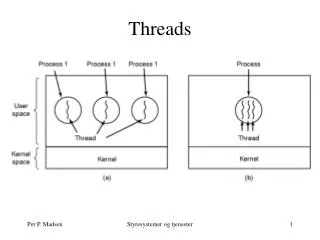
What is a Thread? • Not a process • Threads in JVM • share the same memory / objects • terminate when application terminates • A thread is an object • whether or not it is running
Thread methods Thread myThread = new Thread (); String name = myThread.getName();
Thread types (origin) • System threads • perform system tasks • User threads • run your program
Thread types (status) • Ordinary threads • most user threads • Daemon threads • most system threads • Termination rule • when the last non-daemon thread exits
The problem with BlueJ public class HotelGUIMode { public static void main (String [] args) { HotelFrame frm = new HotelFrame (); } }
What we need • New Thread • to bounce the ball • Event handler • creates thread • starts it running • returns right away • then other stuff can happen
BounceThread public void addBall() { Ball b = new Ball(canvas); canvas.add(b); ballThread = new BallThread(b); // create the thread ballThread.start(); // start the thread } ... more code ... class BallThread extends Thread { public BallThread(Ball aBall) { b = aBall; } public void run() // does the actual animation { try { for (int i = 1; i <= 1000; i++) { b.move(); sleep(5); } } catch (InterruptedException exception) { } } ... more code ...
Note • Subclass of Thread • As many threads as we want • more BounceThread objects • Thread stops • when run method exits • Call to • ballThread.start() • not ballThread.run ()
Note • Call to • Thread.sleep(5) • this was in initial version • Call to • canvas.repaint () • was canvas.paint(canvas.getGraphics())
Thread priorities • Scheduling • threads with highest priority run • unless they’re unable to run • then lower threads run • Not ideal! • starvation is possible • proportional prioritization is better
BounceExpress addButton(buttonPanel, "Start", new ActionListener() { public void actionPerformed(ActionEvent evt) { addBall(Thread.NORM_PRIORITY, Color.black); } }); addButton(buttonPanel, "Express", new ActionListener() { public void actionPerformed(ActionEvent evt) { addBall(Thread.NORM_PRIORITY + 2, Color.red); } }); public void addBall(int priority, Color color) { Ball b = new Ball(canvas, color); canvas.add(b); BallThread thread = new BallThread(b); thread.setPriority(priority); thread.start(); }
Note • Why does this happen? • black thread only executes when no red thread is available
Synchronization • Switching between threads • can happen at any time • Inconsistent state • if an operation is half-complete • (like an incomplete DB transaction)
Horstmann Example • Couldn’t get it to work as written • Machine too fast?
Transfer method public void transfer(int from, int to, int amount) throws InterruptedException { accounts[from] -= amount; accounts[to] += amount; ntransacts++; if (ntransacts % NTEST == 0) test(); }
Actual method public void transfer(int from, int to, int amount) throws InterruptedException { int fromAmount = accounts[from]; int newAmount = fromAmount – amount; accounts[from] = newAmount; int toAmount = accounts[to]; newAmount = toAmount + amount; accounts[to] = newAmount; int newTransacts = ntransacts + 1; ntransacts = newTransacts; if (ntransacts % NTEST == 0) test(); }
Conflict • Thread 1 • accounts[from] = 5000 • amount = 500 • fromAmount = 4500 • Thread 2 • account[from] = 5000 • amount = 200 • fromAmount = 4800
To avoid interruption • An object is “locked” • inside a synchronized method • or a synchronized block • Other threads • calling synchronized methods • on the same object • will block • become runnable when the locking thread leaves the synchronized method
Synchronized version public synchronized void transfer(int from, int to, int amount) throws InterruptedException { accounts[from] -= amount; accounts[to] += amount; ntransacts++; if (ntransacts % NTEST == 0) test(); }
Note • The synchronized “lock” only affects synchronized methods • account.getName() might not be synchronized • other threads would not have to wait when calling this method
Producer / Consumer • Thread A computes values • A calls value.put() • Thread B adds them to a data structure • B calls value.get() • What happens: • A computes a new value before B has grabbed the current one? • B is ready for a new value before A has produced it
Bad solutions • Busy waiting • B loops until A is ready • yuck! • Zzzzz • B sleeps • If A is ready, grabs data • otherwise sleep again
Better solution • Want B not to run at all • until A is ready • Solution • B calls A.getValue() • if no new value is ready, wait() • When A has a value • A calls notify() • or notifyAll() if more than one thread might be waiting
Code public synchronized int get() { while (available == false) { try { // wait for Producer to put value wait(); } catch (InterruptedException e) { } } available = false; return contents; }
What about the producer? • A’s new value might clobber old one • before B can read it • Same solution • wait until old value has been grabbed • then put new and notify
Code public synchronized void put(int value) { while (available == true) { try { wait(); } catch (InterruptedException e) { } } contents = value; available = true; notifyAll(); }
Scenario • B calls get • available = false • B waits • A calls put • available = false • so new value is put and notify is called • B runs • available is true • so loop exits • value is grabbed • now B yields (before exiting get) • A calls put • blocks because of synchronization • B gets more time • exits get • immediately calls get again • waits • A wakes • finishes call to put • immediately calls put again • but available = true so waits for B • B runs • etc.
Deadlock • Threads all waiting for each other • Thread A • has resource 1 • needs resource 2 • Thread B • has resource 2 • needs resource 1