
Uploaded by
pavel
1 SLIDES
412 VUES
20LIKES
국민일보 기사집배신프로그램 자료를 국민일보인트라넷으로 옮기는 방법
DESCRIPTION
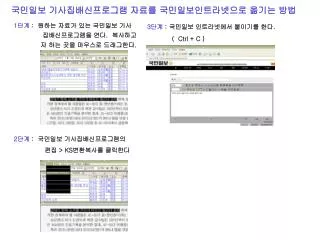
국민일보 기사집배신프로그램 자료를 국민일보인트라넷으로 옮기는 방법. 1 단계 : 원하는 자료가 있는 국민일보 기사 집배신프로그램을 연다 . 복사하고 자 하는 곳을 마우스로 드래그한다. 3 단계 : 국민일보 인트라넷에서 붙이기를 한다 . ( Ctrl + C ). 2 단계 : 국민일보 기사집배신프로그램의 편집 > KS 변환복사를 클릭한다.
Download
1 / 1
Télécharger la présentation 
국민일보 기사집배신프로그램 자료를 국민일보인트라넷으로 옮기는 방법
An Image/Link below is provided (as is) to download presentation
Download Policy: Content on the Website is provided to you AS IS for your information and personal use and may not be sold / licensed / shared on other websites without getting consent from its author.
Content is provided to you AS IS for your information and personal use only.
Download presentation by click this link.
While downloading, if for some reason you are not able to download a presentation, the publisher may have deleted the file from their server.
During download, if you can't get a presentation, the file might be deleted by the publisher.
E N D
Presentation Transcript
국민일보 기사집배신프로그램 자료를 국민일보인트라넷으로 옮기는 방법 1단계: 원하는 자료가 있는 국민일보 기사 집배신프로그램을 연다. 복사하고 자 하는 곳을 마우스로 드래그한다. 3단계: 국민일보 인트라넷에서 붙이기를 한다. ( Ctrl + C ) 2단계: 국민일보 기사집배신프로그램의 편집 > KS변환복사를 클릭한다
More Related

Audio
Live Player