
3-D Modeling Concepts
E N D
Presentation Transcript
3-D Modeling Concepts V106.02 part B
Basic Modeling • All 3D modeling programs contain certain basic geometric shapes that can be combined with or subtracted from other shapes to form more complex objects. • Some programs contain more objects than others, but a sample list of basic primitives includes: • Sphere • Cube or box • Cylinder • Torus • Cone • Plane
Basic Modeling • Arcs, ellipses, circles, curves, and freehand curves are basic 2D shapes typically provided within modeling programs. Shapes may be combined to create complex objects. • Splines are curves or polygons that are composed of segments that can be manipulated by control pointsplaced along the curve. • Control points may be made “active” and then dragged using a handle attached to the point.
Basic Modeling • Polygons are plane figures made with three or more straight sides (curves). • Regular polygonshave equal length sides and equal angles.
Basic Modeling • Some programs require the user to define parameters of the primitive prior to importing it into the scene; others will bring in a “standard” sized object and place it in a selected position. • Typical parameters include center point, radius, height, width, etc.
Basic Modeling • Parameters affect the size, placement, and orientation of the object. • Values provided automatically by the software are called the defaults. A typical default would be to bring in an object oriented in a certain direction with respect to a construction plane.
Modeling Techniques • Booleantools or operations are used to create objects by combining, subtracting, or determining the common intersections of various objects such as primitives. • Union or Addition(+ or ) is used to combine objects together into one new object. • Subtract or Difference() is used to remove part or all of an object where objects overlay each other. • Intersection (* or ) is used to calculate the overlapping volumes of objects so that the overlap becomes the object. • Named for the British mathematician George Boole.
Modeling Techniques • Extrusion,sweeping, or loftingallows you to create a 2D shape and then extend it along a path or curve to form a 3D object. The 2D shape may be open (curves that do not connect back onto the beginning or closed (lines connect back onto the beginning). • *Note- Nurbs or spline modeling are limited in use in basic 3d modeling. Training in this course will be based on “box modeling” and spline modeling concepts.
Modeling Techniques • A variation of sweeping is lofting, where a series of curves (open or closed) is lofted or spaced parallel to each other, and then a is generated that connects the contours. • Lofting may also be done using asurface profile shape and a curve along which the profile is lofted. An example of where lofting is used would be for modeling boat hulls and terrains.
Modeling Techniques • Revolve or lathe operations allow the user to create a 2D shape and then revolve it around an axis. • Lathe operations emulate the lathe found in manufacturing shops. A lathe is a tool used to rotate and shape material by bringing cutting tools against the material while it spins. • The revolution may be a full 360 degrees or any smaller angle. • Lathe operations are often used to model objects such as bowls, bottles, and dishes.
Modeling Techniques • Transformations or Transforms are actions that scale, rotate, and move objects • Scale changes the size or proportions of an object along one or more axes.
Modeling Techniques • Rotate refers to tilting or changing the direction that an object is facing. • Rotation is usually assigned to a particular axis. For example, the object might be rotated along its X-axis. • Most programs assign a default location for rotational axes. This location (pivot point) may need to be relocated to create to the desired movement. • Rotation is usually specified using degrees relative to a beginning point.
Modeling Techniques • Move is used to advance an object from one position to another. • Linear distance along the X-, Y-, or Z-axis is used to measure movement. • Movement may be constrained by a snap or grid setting. Snap allows the object to be moved only at set intervals of distance. • Movement can also be restricted to a grid so that the object jumps from grid line to grid line.
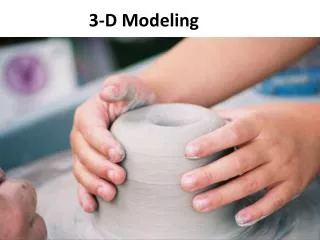
Modeling Techniques • Deformations are used to modify an existing shape. • Selected vertices, control points, polygon faces, or cross sections of an object may be used to control and influence the deformation process. • Deformation tools emulate the process of working a piece of clay. • Examples include taper, bend, twist, smooth, and stretch.
Modeling Techniques • Copy or Clonetools allow selected objects to be reproduced in their exact size and form. • Mirror tools allow selected shapes to be copied or flipped about a defined center.